
Attackers Enable Windows Guest Accounts for Persistence and Remote Access
Summary
Huntress reports attackers enabling Windows’ disabled Guest account, changing its password, and adding it to privileged or remote-access groups. It recommends monitoring account changes and hunting for active Guest accounts.
Key points
- Huntress analysts observed multiple incidents since early 2025 in which attackers enabled the built-in Windows Guest account with `net user Guest /active:yes`.
- Attackers changed the account password and, in observed cases, added Guest to Local Administrators and Remote Desktop Users.
- In one incident, an attacker enabled RDP and used a previously compromised account to add a user named DefaultAcount, then hid its profile folder with attrib.exe.
- Attackers also used native tools including WMI to modify account settings.
- Huntress recommends monitoring EDR telemetry for net.exe, WMI, and PowerShell account changes, and hunting for endpoints with an active Guest account.
- Security Event ID 4722 for the Guest account can indicate that the account was enabled.
Article Details
- Defense Focus
- Detect and investigate unauthorized enabling or modification of Windows accounts, particularly the built-in Guest account, as a persistence and remote-access method.
- Detection Methods
- Monitor endpoint telemetry for native utilities used to enable or modify accounts, including net.exe and WMI; the article also recommends monitoring PowerShell.
- Alert on Microsoft-Windows-Security-Auditing event 4722 when the account name is Guest.
- Hunt endpoints for systems where the Guest account is active.
- Track passwords used when creating or enabling accounts and use them as detection and investigation pivot points across incidents.
- Data Sources
- EDR telemetry
- Windows Security Event Logs
- SIEM records for Microsoft-Windows-Security-Auditing event 4722
- Endpoint account state and group membership
- Rule Types
- Windows Security event detection for event 4722 with account name Guest
- Endpoint process and command-line monitoring for account-modification utilities
- Platforms
- EDR
- SIEM
- Windows endpoints
- Defensive Actions
- Investigate unexpected Guest-account activation and review its password, group memberships, and use for remote access.
- Check whether Guest was added to Local Administrators or Remote Desktop Users and whether RDP was enabled.
- Hunt for newly created accounts, including DefaultAcount, and hidden user profile folders.
- Correlate account-modification activity and password patterns across endpoints and incidents.
MITRE ATT&CK
T1021.001 · Remote Desktop ProtocolThe threat actor accessed an endpoint through RDP using a previously compromised account.T1047 · Windows Management InstrumentationThe article describes use of WMIC to modify the Guest account's password-expiration setting.T1098 · Account ManipulationThe threat actor enabled the built-in Guest account, changed its password, and added it to local groups.T1136.001 · Local AccountThe threat actor created a local user account named DefaultAcount on an endpoint.T1219 · Remote Access ToolsDuring one incident, the threat actor installed AnyDesk.T1564.001 · Hidden Files and DirectoriesThe threat actor used attrib.exe to hide the newly created user's profile folder.
Vendors
Products
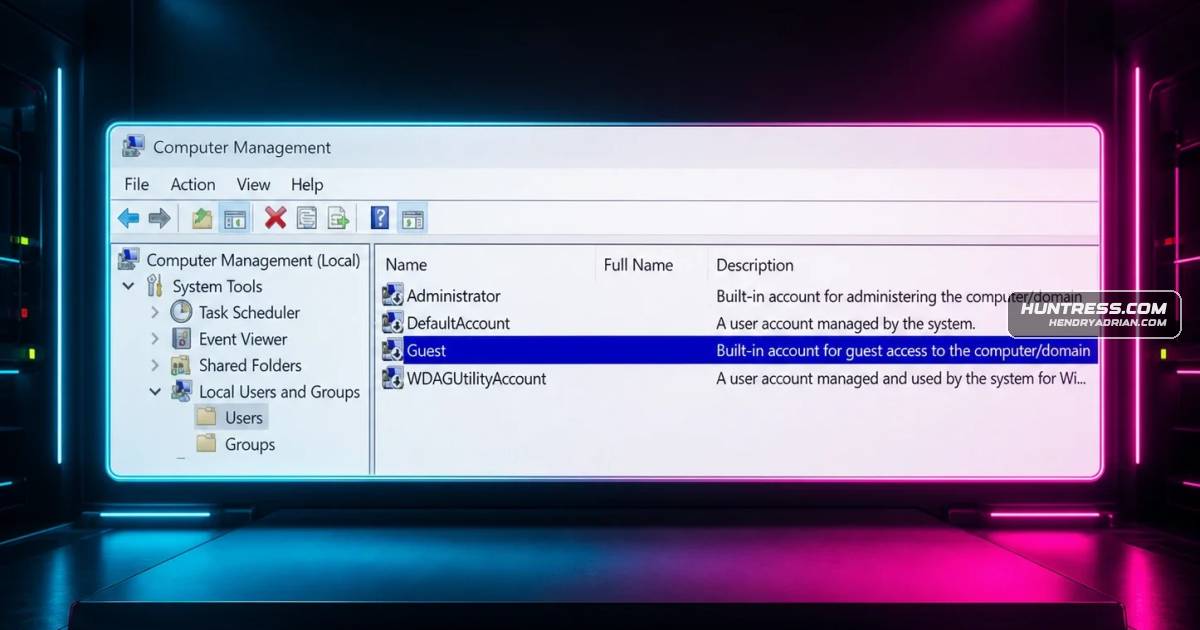
AnyDeskDuring one incident in particular, among their other activities, the threat actor installed the AnyDesk application, enabled the Guest account, and changed the password to a variation of something that Huntress analystsMicrosoft WindowsThis is an account that’s included in the default installation of Windows, and as illustrated in Figure 1, is disabled by default when the operating system is installed.
Tools
attrib.exea new user account named DefaultAcount, and then hid the new user’s profile folder from view using the attrib.exe native Windows utility.net.exeIn addition to using net.exe to enable the Guest account and make other modifications, threat actors have also been observed using other native utilities or “living off the land” binaries (“LOLBins”), such as WMI, toWMIC"C:\Windows\system32\cmd.exe" /c wmic useraccount where "name='Guest' " set passwordexpires=false