
Huntress Review Finds ActivTrak Exclusion on Medical Clinic Systems
Summary
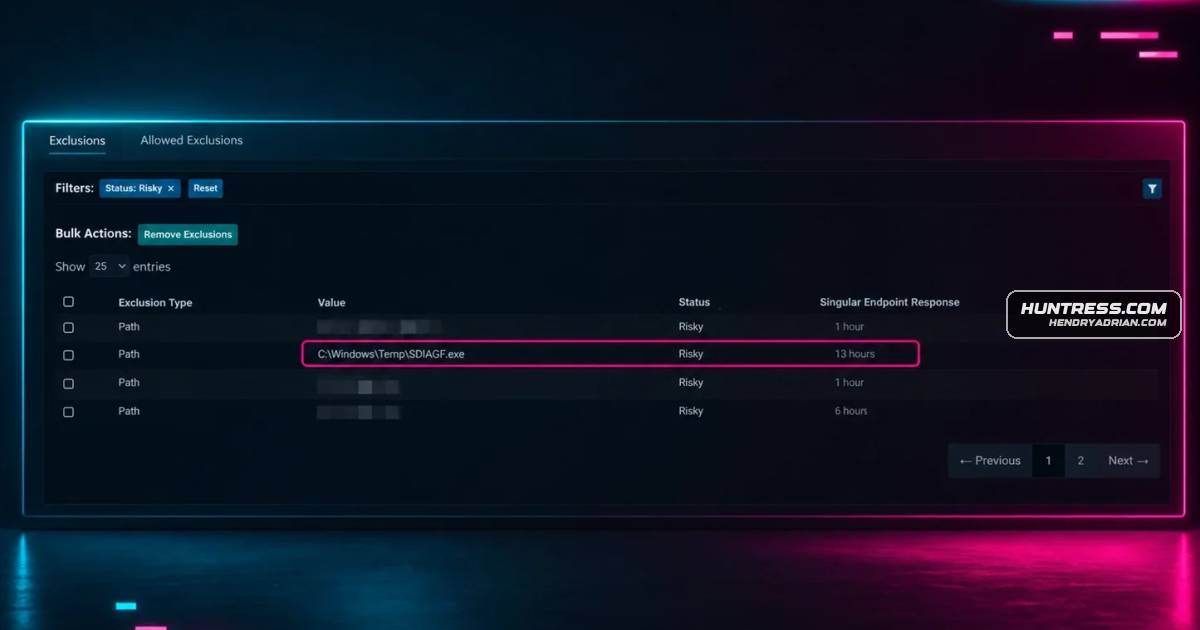
A Huntress review found a Defender exclusion for ActivTrak’s BGStart.exe on 13 hosts at a medical clinic, including a hypervisor, domain controller and X-ray machine. The clinic decided not to renew the software; Huntress reported no evidence of tenant compromise.
Key points
- The exclusion covered C:\Windows\Temp\BGStart.exe and was applied to 13 hosts.
- The article describes ActivTrak as employee-monitoring software with features including screenshots, live screen viewing, app termination and activity logs.
- The partner found the software on the clinic’s hypervisor, domain controller and an X-ray machine, raising concerns about its deployment on critical systems.
- The article says a previous IT administrator appeared to have deployed the software broadly without follow-up on scope or ongoing business use.
- The partner recommended confirming the software’s intended scope, reviewing GUI and API administrator access, and limiting captured data to what the organization approves.
- Huntress advises auditing software inventories and antivirus exclusions. It also provides file and network indicators, including agent-dl1[.]activtrak[.]net and api[.]activtrak[.]com.
Article Details
- Defense Focus
- Audit Defender antivirus exclusions and software inventory to identify risky or unauthorized ActivTrak deployments, especially on critical systems, while reducing exposure to surveillance and data-privacy risks.
- Detection Methods
- Review Defender managed antivirus exclusions for overly broad paths, file extensions, and processes.
- Search software inventories for ActivTrak or Birch Grove Software.
- Hunt for ActivTrak endpoint execution and network connections using the indicators listed in the article.
- Investigate unusual ActivTrak deployments on medical devices, hypervisors, domain controllers, or other critical infrastructure.
- Review ActivTrak administrative access through its GUI and API, and check for unaccounted-for data pull requests.
- Data Sources
- Defender exclusion configuration and alerts
- Endpoint detection and response telemetry
- Software inventory
- Endpoint deployment scope
- Network connections to ActivTrak servers
- ActivTrak administrative accounts and data pull requests
- Defensive Actions
- Audit exclusions regularly and keep them intentional, specific, and narrowly scoped.
- Confirm that ActivTrak is authorized, actively managed, and deployed only on approved machines.
- Review who can access ActivTrak through the GUI and API.
- Limit captured data to what the organization has approved.
- If the deployment is no longer needed, work with ActivTrak support to check for suspicious administrator accounts and unaccounted-for data requests.
- Investigate suspicious exclusions and deployments rather than treating every ActivTrak execution as an incident.
Vendors
Products
ActivTrakWhat is ActivTrak?DefenderWhile certainly not required, we find that many customers, approximately 50% of them, choose to pair Huntress Managed EDR with Windows Defender.Huntress Managed EDRWhile certainly not required, we find that many customers, approximately 50% of them, choose to pair Huntress Managed EDR with Windows Defender.Huntress portalelse, while still centrally managing AV policies, updates, and exclusions, all in one place—the Huntress Portal.