
SEO Poisoning Campaign Spreads GPU Miners, With Some Victims Routed by AI Chatbots
Summary
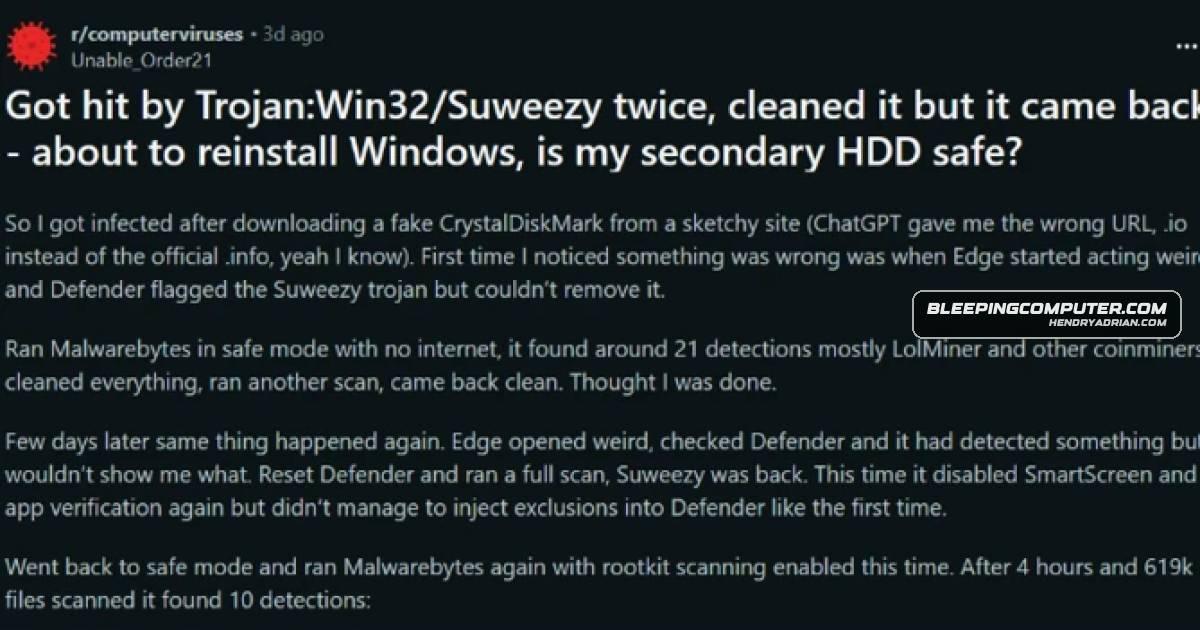
Microsoft researchers describe a campaign that uses SEO-poisoned utility downloads—and, in some reported cases, AI chatbot recommendations—to install ScreenConnect, evade detection, and deploy GPU miners on Windows systems.
Key points
- Malicious download pages impersonate popular utilities for high-performance Windows systems; SEO poisoning promotes the pages, and some users reportedly encountered attacker-controlled links in AI chatbot recommendations.
- The downloaded ZIP contains a legitimate utility and a malicious DLL that loads with the benign program.
- The DLL uses msiexec.exe to install ScreenConnect, giving attackers persistent remote access for follow-on activity.
- SimpleRunPE.exe establishes six persistence mechanisms across Windows autostart locations and may be disguised as RuntimeHost.exe or vlc.exe.
- The malware uses process hollowing in Microsoft-signed Windows utilities, adds Defender exclusions, and checks for virtual machines and analysis tools.
- It downloads and runs one of three GPU miners: gminer, lolMiner, or SRBMiner-MULTI.
- Microsoft says the campaign prioritizes maximizing mining yield per compromised device; its report includes indicators of compromise.
Article Details
- Attack Vectors
- SEO poisoning boosted malicious download pages for popular utilities in search rankings.
- Some users were reportedly directed to malicious download domains by AI chatbot recommendations.
- Fake utility download pages delivered ZIP archives containing a legitimate executable and a malicious DLL that loaded when the executable launched.
- The malicious DLL used msiexec.exe to install vcredist_x64.dll, described as a package installer for ScreenConnect.
- After establishing a ScreenConnect session, the attacker dropped SimpleRunPE.exe; in some cases, a malicious PowerShell script delivered it as vlc.exe.
- SimpleRunPE.exe used process hollowing in legitimate, Microsoft-signed Windows utilities and established persistence through multiple Windows autostart locations.
- The malware added its path and process to Microsoft Defender's exclusion list, checked for virtual machines and analysis-tool processes, and terminated if it detected them.
- After process hollowing, the malware downloaded and executed GPU mining modules.
- Defensive Notes
- Microsoft said organizations can use the indicators of compromise included in its report to protect their environments.
- The article refers to defenses provided by Microsoft's tools but does not specify particular defensive configurations.
Indicators of compromise
| Type | Indicator | Context |
|---|---|---|
| DOMAIN | gleeze[.]com | Domain associated in the article with a subdomain hosting a malicious download archive; it had also previously been flagged for association with phishing websites. |
MITRE ATT&CK
T1036 · MasqueradingSimpleRunPE.exe was saved as RuntimeHost.exe, and in some cases as vlc.exe to impersonate the VideoLAN multimedia player executable.T1055.012 · Process HollowingSimpleRunPE.exe used process hollowing to run inside legitimate, Microsoft-signed Windows utilities.T1059.001 · PowerShellA malicious PowerShell script was used in some cases to drop SimpleRunPE.exe, and the binary also invoked PowerShell to modify Defender exclusions.T1105 · Ingress Tool TransferAfter the process-hollowing stage, the malware downloaded and executed one of three GPU mining modules.T1219 · Remote Access ToolsThe attacker deployed ScreenConnect to establish persistent remote access to compromised machines.T1497.001 · System ChecksThe malware checked for virtual machines and terminated execution if it detected one.T1547 · Boot or Logon Autostart ExecutionSimpleRunPE.exe established six persistence mechanisms across Windows autostart locations.T1562.001 · Disable or Modify ToolsThe malicious binary used PowerShell to add its path and process to Microsoft Defender's exclusion list.
Malware
gminerMicrosoft also found that some users were steered to attacker-controlled links by AI chatbots, with the campaign using ScreenConnect, process hollowing, and GPU miners like gminer, lolMiner, and SRBMiner-MULTI.lolMinerMicrosoft also found that some users were steered to attacker-controlled links by AI chatbots, with the campaign using ScreenConnect, process hollowing, and GPU miners like gminer, lolMiner, and SRBMiner-MULTI.SRBMiner-MULTIMicrosoft also found that some users were steered to attacker-controlled links by AI chatbots, with the campaign using ScreenConnect, process hollowing, and GPU miners like gminer, lolMiner, and SRBMiner-MULTI.
Vendors
Products
CrystalDiskInfo#ScreenConnectDisplay Driver Uninstallersoftware typically installed by owners of powerful systems, like CrystalDiskInfo, HWMonitor, Display Driver Uninstaller, FurMark, K-Lite Codec Pack, and PDFgear.FurMark#ScreenConnectHWMonitor#ScreenConnectK-Lite Codec Packowners of powerful systems, like CrystalDiskInfo, HWMonitor, Display Driver Uninstaller, FurMark, K-Lite Codec Pack, and PDFgear.Microsoft Defender Antimalware PlatformTo the same purpose, the malicious binary also invokes PowerShell to add its path and process to the exclusion list in Microsoft Defender.Microsoft WindowsThreat actors are running an SEO poisoning campaign that pushes malicious download pages for popular utilities to compromise high-performance Windows systems and install cryptomining payloads.PDFgear#ScreenConnectScreenConnectMicrosoft also found that some users were steered to attacker-controlled links by AI chatbots, with the campaign using ScreenConnect, process hollowing, and GPU miners like gminer, lolMiner, and SRBMiner-MULTI.