How to Safely Trace Native Windows DLL Behavior in an Isolated VM
Summary
A guide to Malware INFO’s DLL Behavior Trace workflow covers static inspection, four controlled invocation modes, evidence interpretation, and safety limits. It stresses that sparse results do not prove a DLL is benign and unknown DLLs require an isolated VM.
Key points
- The workflow supports standalone native x86 and x64 Windows DLLs that pass preflight checks; it rejects managed .NET DLLs, unsupported architectures, drivers, and invalid or unstable files.
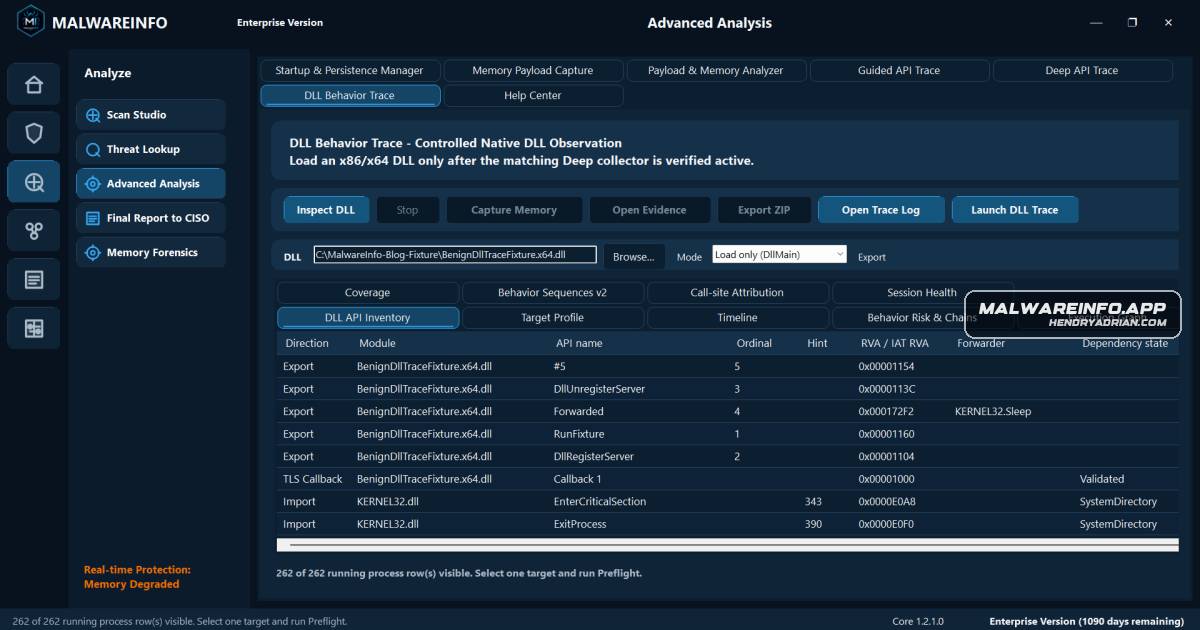
- Static inspection records PE metadata such as imports, exports, dependencies, TLS callbacks, and file identity without loading the DLL; these findings indicate capability, not execution or intent.
- Four modes are available: LoadOnly, Rundll32Export, RegisterServer, and UnregisterServer. Export and COM modes require the appropriate exact entry point and compatible contract.
- A benign x86/x64 fixture validates the bounded host invocation contract, but does not establish full API coverage or represent malware or production behavior.
- Analysts should distinguish static, observed, correlated, inferred, and unavailable evidence, and review collection health and diagnostics before interpreting results.
- Few recorded events do not prove a DLL is inactive, clean, benign, or safe; behavior may depend on a host context, occur outside the capture window, or evade supported observation.
- Unknown DLLs should only be run in an authorized disposable isolated VM with no credentials, sensitive data, business resources, or trusted network access; the workflow is not containment or rollback.
Article Details
- Topic
- Safe, bounded analysis of native Windows DLLs using DLL Behavior Trace