Wazuh Demonstrates Detection of Common Windows Privilege Escalation Techniques
Summary
Wazuh demonstrates Sysmon-based detections for Windows privilege escalation risks, including weak service permissions, unquoted service paths, AlwaysInstallElevated, DLL staging, and SYSTEM-level execution from non-standard directories.
Key points
- The tutorial uses Sysmon telemetry and custom Wazuh rules on a Windows 11 lab endpoint to detect privilege escalation-related activity.
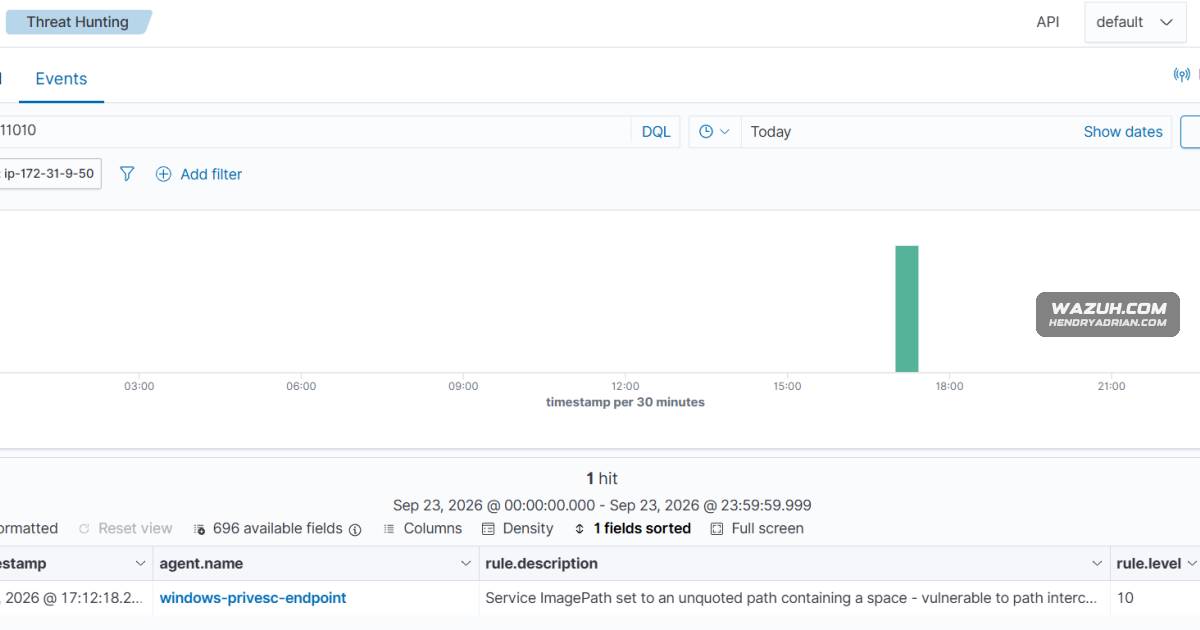
- Rules alert on unquoted service executable paths and sensitive service registry changes made by processes other than services.exe.
- Registry monitoring identifies AlwaysInstallElevated settings that could allow MSI packages to run with SYSTEM privileges.
- Sysmon file-creation events flag DLLs staged outside common system and application directories.
- A process-creation rule highlights SYSTEM-owned processes launched from non-standard directories, which may indicate weak permissions or task abuse.
- The examples are designed for a lab endpoint and should not be run on production systems.
Article Details
- Defense Focus
- Detect Windows privilege-escalation conditions and suspicious activity involving service configuration, installer policy, DLL staging, and privileged execution.
- Detection Methods
- Alert when a service ImagePath registry value is set to an unquoted executable path containing spaces.
- Alert when a process other than services.exe changes a service ImagePath, FailureCommand, or ServiceDll registry value.
- Alert when AlwaysInstallElevated is set to 1; correlate changes in two different registry locations within 10 minutes.
- Alert on DLL creation outside common system and application directories.
- Alert on events the article identifies as SYSTEM-owned process execution from non-standard directories.
- Data Sources
- Sysmon Event ID 13 registry-value changes
- Sysmon Event ID 11 file creation events
- Sysmon Event ID 7 events, described by the article as the source for privileged-execution detection
- Microsoft-Windows-Sysmon/Operational event channel
- Rule Types
- Custom XML detection rules using PCRE2 field matching
- Frequency- and timeframe-based correlation across distinct registry targets
- Sysmon XML filters for DLL file creation and AlwaysInstallElevated registry events
- Dashboard searches by rule ID, rule group, and mapped tactic
- Platforms
- Monitored Windows endpoints
- Centralized event collection, alerting, and threat-hunting dashboard
- Defensive Actions
- Collect and forward the specified Sysmon events from monitored endpoints.
- Deploy and reload the custom detection rules, then review matching alerts in Threat Hunting.
- Investigate vulnerable service paths, unexpected service registry changes, and AlwaysInstallElevated settings.
- Review DLL creation in non-standard directories and privileged execution from potentially user-writable locations.
- Correct weak permissions and unsafe service, installer-policy, or scheduled-task configurations.
MITRE ATT&CK
T1053.005 · Scheduled TaskThe lab replaces a binary in a user-writable directory that a scheduled task runs as SYSTEM; the detection looks for privileged execution from a non-standard directory.T1218.007 · MsiexecThe article describes how enabling AlwaysInstallElevated in both registry locations could let a standard user run an MSI package with SYSTEM privileges; its rules detect the policy changes, not MSI execution.T1574.001 · DLLThe lab stages a DLL beside a loader that loads it by name; the detection flags DLL creation outside common system and application directories.T1574.009 · Path Interception by Unquoted PathThe lab configures an unquoted service executable path containing spaces; the detection flags the vulnerable ImagePath value.T1574.011 · Services Registry Permissions WeaknessThe lab grants a standard user control of a service registry key and changes ImagePath; the detection flags sensitive service values modified outside services.exe.
Vendors
Products
WazuhThis blog post demonstrates how to detect common Windows privilege escalation techniques with Wazuh.Windows 11A Windows 11 endpoint with the Wazuh agent 4.14.7 installed and enrolled in the Wazuh server.Windows InstallerServices, scheduled tasks, Windows Installer policies, DLL loading behavior, registry permissions, and administrative tooling are all expected features of the platform.