How Browser Controls Can Address EDR Blind Spots in SaaS Attacks
Summary
EDR can miss harmful activity confined to browser and SaaS sessions. The article recommends browser, identity, and SaaS controls to help prevent phishing, malicious extensions, unauthorized data transfers, and ClickFix attacks.
Key points
- SaaS actions such as OAuth approvals, data access, and uploads may not create the host processes EDR is designed to detect.
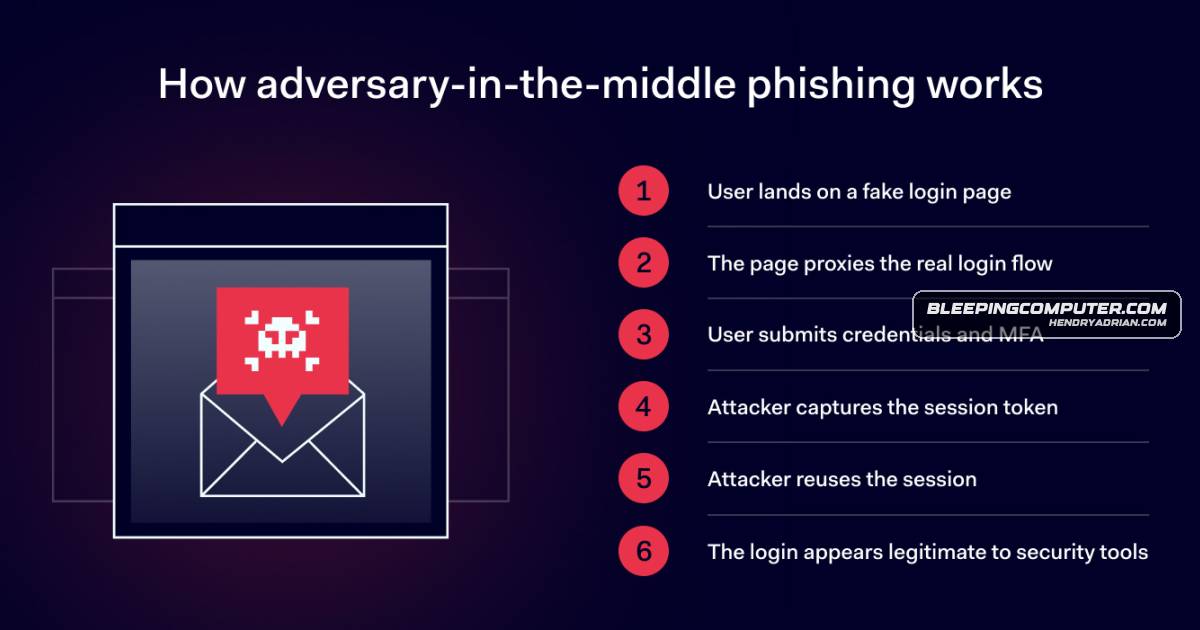
- AiTM phishing can capture credentials, cookies, and OAuth tokens; FIDO2 WebAuthn and browser controls can help reduce the risk.
- Malicious browser extensions can read page content and send data while appearing as ordinary browser activity.
- The article recommends extension allowlists, installation controls, and permission reviews.
- ClickFix lures can manipulate clipboard content before a victim runs a command, at which point endpoint telemetry may provide visibility.
- The article advocates layered browser, identity/SaaS, and endpoint controls; EDR remains important for host execution.
Article Details
- Defense Focus
- Close browser, identity, and SaaS visibility gaps that allow attacks and data theft to occur without suspicious endpoint execution.
- Detection Methods
- Inventory browser extensions and review their permissions, especially extensions able to read or modify web content.
- Correlate identity and session activity, including session identifiers switching from a victim browser to an unexpected user agent.
- Monitor SaaS activity for OAuth grants, high-volume API calls, access to sensitive files, inbox-rule creation, and unusual uploads.
- Use browser-specific context to identify which extension initiated network activity and what content it accessed.
- When a user executes a copied command, investigate PowerShell activity, downloaded and extracted files, persistence, discovery, and outbound connections.
- Data Sources
- Browser extension inventory, permissions, and policy records
- Browser web-access, extension, file-transfer, and clipboard activity
- Identity-provider authentication, session, and OAuth logs
- SaaS application API, file-access, upload, and inbox-rule audit logs
- Endpoint process, file, registry, scheduled-task, and network telemetry
- Platforms
- Managed browser controls
- Identity-provider policies
- EDR
- Defensive Actions
- Use phishing-resistant FIDO2 WebAuthn authentication.
- Block known phishing and malicious destinations and restrict access to unapproved web applications.
- Apply browser extension allowlists and installation controls; review permissions for extensions that can read or modify web content.
- Use browser DLP to restrict uploads, downloads, and copy-and-paste actions according to destination.
- Restrict clipboard access and other risky browser actions where appropriate.
- Use dedicated browser egress IPs for SaaS allowlisting or identity-policy conditions when supported.
- Retain endpoint protections for host execution and investigate activity when a browser-based lure leads to command execution.
MITRE ATT&CK
T1053.005 · Scheduled TaskThe article reports scheduled-task persistence after the TerminalFix command executed.T1059.001 · PowerShellThe TerminalFix command copied to the clipboard was a malicious PowerShell command that the victim was instructed to run.T1105 · Ingress Tool TransferTerminalFix activity included downloading and extracting a ZIP archive.T1112 · Modify RegistryThe article reports registry persistence following execution of the TerminalFix command.T1176 · Software ExtensionsMalicious Chromium extensions collected visited URLs and page content, then sent the data to attacker-controlled infrastructure.T1204.004 · Malicious Copy and PasteIn the described TerminalFix ClickFix sequence, victims were prompted to copy a command and paste it into Windows Terminal or PowerShell.T1528 · Steal Application Access TokenUNC6395 obtained OAuth tokens associated with Drift integrations; the article also describes AiTM attacks capturing OAuth access tokens.T1539 · Steal Web Session CookieThe article describes AiTM attacks capturing and replaying victims' session cookies.T1557 · Adversary-in-the-MiddleStorm-2755's AiTM infrastructure proxied authentication in real time to capture credentials and session material.T1574.002 · DLL Side-LoadingThe article reports DLL side-loading in the post-execution activity of the TerminalFix attack.
People
Threat Actors
Storm-2755Microsoft-tracked threat actor described as targeting Canadian employees with AiTM phishing and replaying stolen sessions.UNC6395Obtained OAuth tokens associated with Drift integrations and used them for high-volume API calls against customers' Salesforce environments, according to the article.
Vendors
Products
ChatGPTThe extensions collected visited URLs and content from ChatGPT and DeepSeek conversations and periodically sent this data to an attacker-controlled infrastructure.DeepSeekThe extensions collected visited URLs and content from ChatGPT and DeepSeek conversations and periodically sent this data to an attacker-controlled infrastructure.EDREDR is still essential for detecting host execution, but it can miss attacks that stay inside browser-based SaaS sessions, identity workflows, and cloud applications.Microsoft 365 Apps for EnterpriseVictims searching for terms such as “Office 365” were redirected to a Microsoft 365 login page controlled by the attacker.NordLayer BrowserAdd browser-level controls with the NordLayer BrowserSalesforceLike in the 2025 Salesloft Drift incident: UNC6395 obtained OAuth tokens associated with Drift integrations and used them to make high-volume API calls against customers’ Salesforce environments.Workday#UNC6395