
How to Prevent AI-Generated Code from Leaking Hardcoded Secrets
Summary
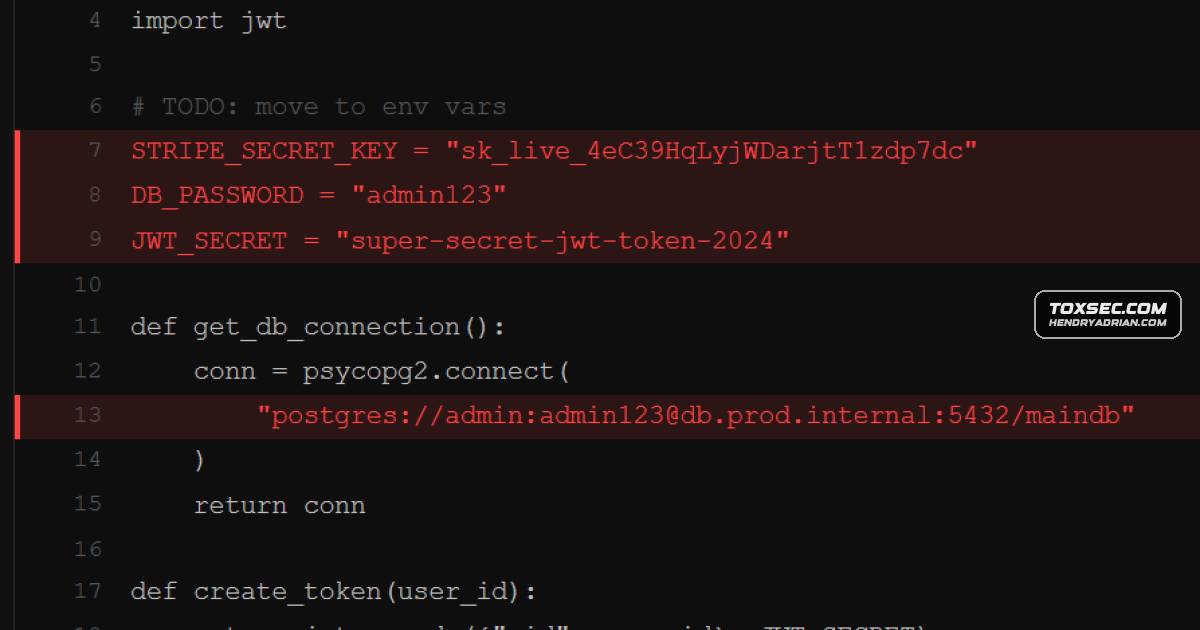
AI-generated code can expose hardcoded credentials in source files, Git history, and client-side bundles. The article recommends Gitleaks for pre-commit scanning, TruffleHog for deeper scans and credential verification, and rotating exposed keys.
Key points
- The article says AI coding models may reproduce hardcoded credentials learned from public code, exposing secrets in source files, committed .env files, Git history, or client-side bundles.
- It reports that Invicti researchers found LLMs reusing model-specific placeholder credentials across generated applications.
- Gitleaks can scan staged changes as a pre-commit hook and block commits containing detected secrets.
- TruffleHog can scan Git history and other data sources, and the article describes its credential verification as a way to identify active keys for prioritized rotation.
- The recommended approach is to use Gitleaks before commits and TruffleHog in CI/CD, add .env to .gitignore, and rotate exposed credentials.
- Removing a secret in a later commit does not remove it from Git history; the article recommends rotating it and using git-filter-repo when history needs to be rewritten.
Article Details
- Defense Focus
- Prevent hardcoded credentials from entering repositories and identify exposed secrets in existing Git history and other development artifacts, then prioritize rotation of confirmed active credentials.
- Detection Methods
- Run Gitleaks as a pre-commit hook to scan staged changes for credential patterns and block matching commits.
- Run TruffleHog in CI/CD to scan Git history and verify whether discovered credentials are active.
- Search build/ and dist/ directories for credential patterns that may have been bundled into client-side JavaScript.
- Check whether .env is listed in .gitignore.
- Data Sources
- Staged Git changes
- Git history and commit diffs
- Client-side JavaScript in build/ or dist/
- .env files and .gitignore
- S3 buckets
- Docker images
- Slack workspaces
- CI/CD logs
- Rule Types
- Credential-pattern scanning, including patterns for AWS keys, Slack tokens, and database strings
- Pre-commit secret-scanning hook configured through .pre-commit-config.yaml
- Platforms
- Git repositories
- CI/CD pipelines
- Defensive Actions
- Install Gitleaks as a pre-commit hook to block secrets before they enter the repository.
- Run TruffleHog in CI/CD to scan repository history and verify discovered credentials.
- Add .env to .gitignore and check that the file is not committed.
- Rotate exposed credentials and treat removed-but-committed secrets as compromised.
- Use git-filter-repo to rewrite history when a committed secret must be purged, then force-push the rewritten history.
- Use a secrets manager for production credentials rather than storing them in files.
- Inspect client-side build output for credentials before deployment.
MITRE ATT&CK
Products
AWS Secrets ManagerFor production, use a secrets manager (AWS Secrets Manager, HashiCorp Vault, Doppler) so credentials never exist in files at all.DopplerFor production, use a secrets manager (AWS Secrets Manager, HashiCorp Vault, Doppler) so credentials never exist in files at all.HashiCorp VaultFor production, use a secrets manager (AWS Secrets Manager, HashiCorp Vault, Doppler) so credentials never exist in files at all.
Tools
git-filter-repoAlways add .env to .gitignore, rotate exposed keys, use a secrets manager, or rewrite history with git-filter-repo when necessary.gitleaksPrevent with a fast pre-commit scanner and deep-history verification—Gitleaks blocks commits while TruffleHog scans history and verifies live credentials to prioritize rotation.TruffleHogPrevent with a fast pre-commit scanner and deep-history verification—Gitleaks blocks commits while TruffleHog scans history and verifies live credentials to prioritize rotation.