Passkey-Themed Phishing Campaigns Steal Data from Microsoft 365 Accounts
Summary
Microsoft says actors linked to ShinyHunters, Helix, and others use passkey-themed social engineering, AiTM phishing, and device-code flows to hijack Microsoft 365 accounts, add MFA methods, and steal cloud data.
Key points
- Microsoft says the activity has been observed since May 2026 and begins with research into target organizations and employees.
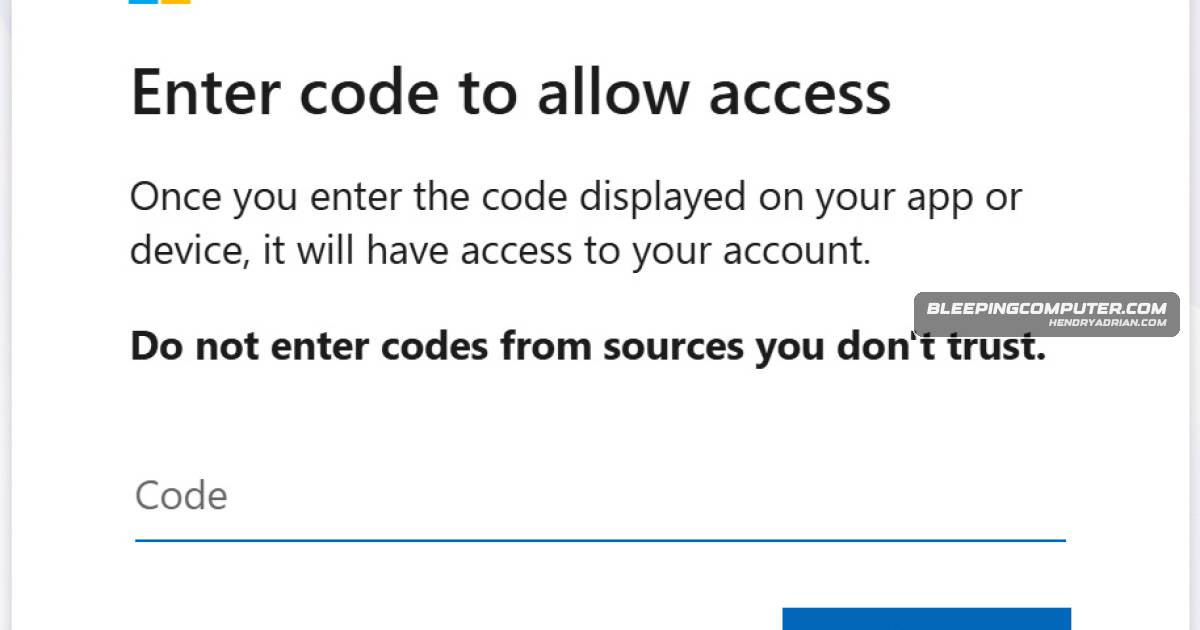
- Impersonating IT help desks, attackers direct employees to fake Microsoft sign-in pages or device-code authentication flows; Microsoft says passkey lures are not used to enroll passkeys.
- Microsoft attributes the activity to multiple actors, including Storm-3121 and Storm-3032, and says it overlaps with Google’s UNC6671 cluster.
- After access, attackers use Microsoft Graph to enumerate users, privileges, authentication methods, applications, SharePoint, OneDrive, and email resources.
- Attackers may add phone numbers or authenticator methods they control for persistence; Microsoft says a full credential and session reset removes that persistence.
- Microsoft observed high-volume document and email access, with data theft often spread over hours or days rather than conducted in a rapid burst.
- Microsoft recommends investigating unusual sign-ins followed by new MFA registrations and cloud-resource access; response steps include revoking sessions and tokens, resetting credentials, and removing attacker-added authentication methods or mailbox rules.
Article Details
- Attack Vectors
- Threat actors impersonate corporate IT help desks by phone or message and pressure employees to change passkey, MFA, or SSO settings.
- Victims are directed to phishing sites that mimic Microsoft login pages; some links are sent by SMS.
- Microsoft reports adversary-in-the-middle phishing and device-code authentication phishing to capture credentials, session tokens, or account access.
- After account compromise, attackers add MFA methods they control, conduct Microsoft Graph reconnaissance, and access cloud files and email for theft.
- Defensive Notes
- Investigate unusual sign-ins followed by new MFA registrations, Microsoft Graph reconnaissance, and suspicious SharePoint, OneDrive, or Exchange access.
- For compromised accounts, revoke active sessions and tokens, reset credentials, remove attacker-added authentication methods or mailbox rules, and require authentication-method re-registration.
- Use phishing-resistant MFA, restrict sensitive cloud resources to managed devices, and disable device-code authentication when it is not needed.
Indicators of compromise
| Type | Indicator | Context |
|---|---|---|
| DOMAIN | add-passkey[.]com | Listed by Microsoft as an example of a phishing domain registered by the attackers. |
| DOMAIN | integratedsso[.]com | Listed by Microsoft as an example of a phishing domain registered by the attackers. |
| DOMAIN | keysyncos[.]com | Listed by Microsoft as an example of a phishing domain registered by the attackers. |
| DOMAIN | oktasession[.]com | Listed by Microsoft as an example of a phishing domain registered by the attackers. |
| DOMAIN | oskeysync[.]com | Listed by Microsoft as an example of a phishing domain registered by the attackers. |
| DOMAIN | passkeyhelpdesk[.]com | Listed by Microsoft as an example of a phishing domain registered by the attackers. |
| DOMAIN | secure-passkey[.]com | Listed by Microsoft as an example of a phishing domain registered by the attackers. |
| DOMAIN | setupmypasskey[.]com | Listed by Microsoft as an example of a phishing domain registered by the attackers. |
MITRE ATT&CK
T1098.005 · Device RegistrationAttackers establish persistence by registering phone numbers, authenticator applications, or software-based one-time password tokens as new MFA methods.T1114.002 · Remote Email CollectionAttackers access email content and attachments in Exchange Online through REST API-based access.T1213.002 · SharepointAttackers systematically access and download documents from SharePoint Online.T1526 · Cloud Service DiscoveryAfter compromise, attackers use Microsoft Graph to enumerate cloud services, users, groups, applications, and resources.T1528 · Steal Application Access TokenDevice-code phishing leads victims to authorize an attacker-controlled OAuth application, giving the attacker an authentication token.T1530 · Data from Cloud StorageAttackers access and download files from OneDrive resources in the compromised cloud environment.T1557 · Adversary-in-the-MiddleMicrosoft reports adversary-in-the-middle phishing used to capture credentials and session tokens.T1566.002 · Spearphishing LinkAttackers send victims links to phishing sites impersonating Microsoft login pages, including links delivered by SMS.
Threat Actors
BlackFileIdentified as an extortion group whose members are believed to be working under the Helix name; Google linked it to overlapping activity.FalconNamed as an extortion group associated with Storm-3121 and included among the gangs Google linked to overlapping activity.HelixMicrosoft links the group to the reported activity; the article says Storm-3032 is believed tied to BlackFile members now working under the Helix name.PinkGoogle linked this extortion gang to activity overlapping with the reported account-compromise campaign.RedactGoogle linked this extortion gang to activity overlapping with the reported account-compromise campaign.ShinyHuntersMicrosoft links the group to the passkey- and SSO-themed account-compromise and data-theft activity.Storm-3121Microsoft attributes initial-access activity to this tracked group and associates it with ShinyHunters and Falcon extortion.UNC6671Microsoft attributes initial-access activity to this tracked group; it is believed tied to BlackFile members now working under the Helix name.
Vendors
GoogleThis activity overlaps with attacks previously documented by Google Threat Intelligence under the UNC6671 threat cluster.MicrosoftMicrosoft says threat actors linked to ShinyHunters, Helix, Storm-3121, and Storm-3032 are using passkey and SSO-themed social engineering to hijack Microsoft 365 accounts and steal cloud data.
Products
EntraIn one investigated attack, Microsoft observed a suspicious sign-in from an unmanaged device to a Microsoft 365 service identified in Entra logs as “OfficeHome.”Exchange OnlineAfter compromise, they perform Microsoft Graph reconnaissance, add their own MFA methods, and exfiltrate files and email from SharePoint Online, OneDrive, and Exchange Online.Microsoft 365 Apps for EnterpriseMicrosoft says threat actors linked to ShinyHunters, Helix, Storm-3121, and Storm-3032 are using passkey and SSO-themed social engineering to hijack Microsoft 365 accounts and steal cloud data.Microsoft GraphAfter compromise, they perform Microsoft Graph reconnaissance, add their own MFA methods, and exfiltrate files and email from SharePoint Online, OneDrive, and Exchange Online.Microsoft OneDriveAttackers exfiltrate data from SharePoint Online, OneDrive for Business, and Exchange Online over hours or days.SharePoint OnlineAfter compromise, they perform Microsoft Graph reconnaissance, add their own MFA methods, and exfiltrate files and email from SharePoint Online, OneDrive, and Exchange Online.