How Phishing Emails Abuse Device-Code Authentication
Summary
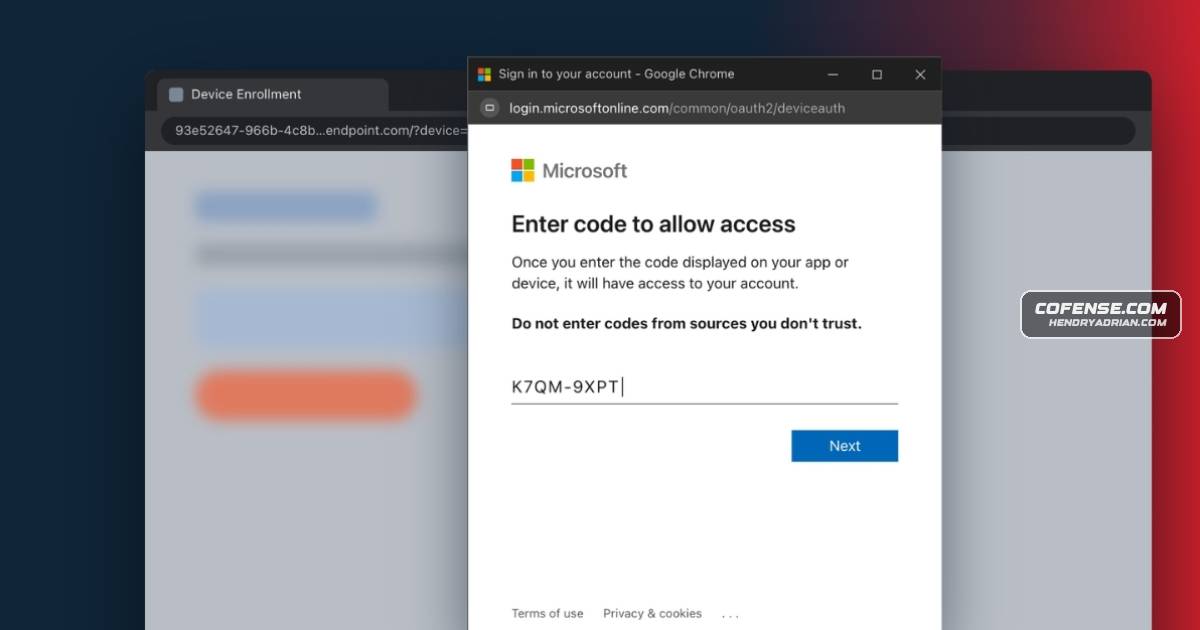
Cofense describes phishing emails that impersonate business invitations and familiar brands to trick victims into authorizing an attacker’s device-code sign-in, and outlines steps to take if an untrusted code is entered.
Key points
- Cofense’s Phishing Defense Center analyzed emails using device-code phishing.
- A purported bidding invitation leads recipients through fake login and device-enrollment pages that imitate familiar brands.
- The attackers use the device-code sign-in flow to prompt victims to authorize an application or device; this may grant account access without a password and may bypass normal MFA protection.
- A mismatched website domain is a warning sign; users should verify unfamiliar document and agreement requests before signing in.
- If a code from an untrusted source is entered, treat the account as compromised and notify IT immediately.
- Recommended response includes changing the password, ending active sessions, reviewing account activity and authorized apps, re-verifying security methods, and checking for unauthorized account changes.
Article Details
- Defense Focus
- Detect and respond to device-code phishing that tricks users into authorizing an attacker’s session, and limit account compromise if a code is entered.
- Detection Methods
- Check whether a redirected sign-in URL matches the registered domain of the brand it claims to represent.
- Review recent account activity for suspicious or unauthorized access.
- Review authorized applications and remove unfamiliar or suspicious entries.
- Check for unauthorized account changes, including forwarding rules, recovery addresses, sent emails, deleted items, and other modified settings.
- Data Sources
- Recent account activity
- Authorized application entries
- Registered security and MFA methods
- Account settings, including forwarding rules and recovery addresses
- Sent emails and deleted items
- Active account sessions
- Defensive Actions
- Do not enter access codes from unverified sources.
- Treat entry of a code from an untrusted source as a potential account compromise and notify IT immediately.
- Change the account password.
- Sign out of all active sessions or revoke existing sessions.
- Review account activity and authorized applications for suspicious access or entries.
- Re-verify registered security and MFA methods.
- Check for unauthorized account changes.
- Verify unfamiliar agreements, contracts, and related documents before interacting with them.