
How Business Email Compromise Uses Mailbox Access—and How to Catch It
Summary
The article explains how BEC attackers exploit trusted email conversations and hidden mailbox rules, shares an attempted scam caught through direct verification, and recommends practical checks for suspicious messages and account activity.
Key points
- The article describes attackers using targeted phishing or social engineering to steal credentials or session tokens, then creating inbox rules to hide activity while studying payment workflows.
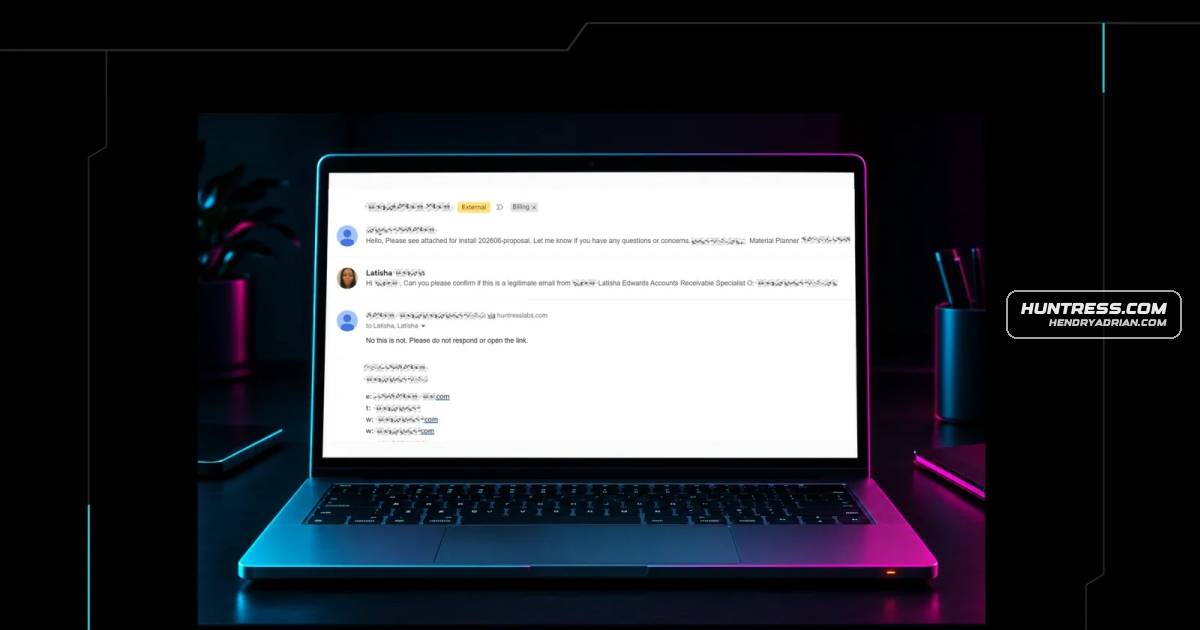
- A Huntress employee identified a suspicious login link in an order form and confirmed with the partner through a separate channel that the message was a BEC attempt.
- The article says the FBI logged more than $20.8 billion in cybercrime losses in 2025, with roughly $3 billion tied to BEC.
- Huntress reports that adversary-in-the-middle attacks accounted for 18.9% of identity-based threats it tracked in 2025; mailbox manipulation and persistence made up 24.6% of its ITDR signals so far in 2026.
- Recommended defenses include alerting on new forwarding rules, checking the sender’s actual address, and verifying payment changes or unexpected login requests with a known contact through a trusted channel.
- Huntress says its managed ITDR monitors suspicious logins, session hijacking, and malicious mailbox rules across Microsoft 365 and Google Workspace; this is a vendor capability claim.
Article Details
- Defense Focus
- Detect and prevent business email compromise by monitoring identity and mailbox activity, hardening identity policies, and verifying unusual payment or login requests.
- Detection Methods
- Alert on new inbox forwarding rules, especially those forwarding mail to an external domain.
- Review inbox rules for suspicious rules that hide or move messages.
- Monitor for suspicious logins, session hijacking, and malicious mailbox or forwarding-rule changes.
- Check the sender's actual email address and independently verify unexpected payment changes or login links with a known contact.
- Data Sources
- Identity and login activity
- Session-hijacking activity
- Mailbox and inbox-rule changes
- Email sender addresses and message content
- Forwarding-rule creation and destinations
- Rule Types
- Alerts for new mailbox forwarding rules
- Detection of suspicious inbox rules that hide or move messages
- Platforms
- Microsoft 365
- Google Workspace
- Defensive Actions
- Alert on new forwarding rules, particularly those sending mail to external domains.
- Investigate unexpected inbox rules that move or hide messages.
- Treat unexpected account-number changes, payment instructions, and login links in partner emails as high risk.
- Verify requests through a trusted channel, such as a known phone number or portal, rather than using links in the email.
- Enforce conditional access policies and address identity-related misconfigurations and policy drift.
- Encourage employees to pause and verify unusual requests.
MITRE ATT&CK
T1114.003 · Email Forwarding RuleAttackers set up inbox forwarding rules, including rules that send mail externally, to route messages and support BEC.T1539 · Steal Web Session CookieThe article says adversary-in-the-middle attacks can steal session tokens, allowing attackers to bypass password and MFA prompts.T1564.008 · Email Hiding RulesThe article describes attackers using hidden inbox rules to move messages into folders users do not check.T1566.002 · Spearphishing LinkThe article describes BEC emails with unexpected login links intended to steal credentials or session tokens.
People
Kyle HanslovanHuntress CEO who breaks down how attackers gain access to Microsoft 365 mailboxes and stage BEC attacks.Latisha EdwardsHuntress Accounts Receivable Specialist who identified a suspicious login link in an order form and confirmed the email was a BEC attempt by checking with the partner.
Vendors
Products
Google WorkspaceDetection and Response (ITDR) watches for identity-driven threat behavior across Microsoft 365 and Google Workspace, including session hijacking, suspicious logins, and malicious inbox and forwarding rules, backed byManaged Identity Security Posture Management (ISPM)Managed Identity Security Posture Management (ISPM) works earlier in the attack chain, closing the misconfigurations and policy drift that let attackers into mailboxes and helping enforce conditional access policies.Managed Identity Threat Detection and Response (ITDR)Managed Identity Threat Detection and Response (ITDR) watches for identity-driven threat behavior across Microsoft 365 and Google Workspace, including session hijacking, suspicious logins, and malicious inbox andManaged Security Awareness TrainingManaged Security Awareness Training (SAT) helps your people recognize when to pause and verify a change to a payment.Microsoft 365 Apps for EnterpriseHere's how that attack chain plays out in a real Microsoft tenant. Huntress CEO Kyle Hanslovan breaks down how attackers sneak into Microsoft 365 mailboxes with low-fi resources to stage attacks like BEC.