
How to Use BloodHound CE to Map Active Directory Attack Paths
Summary
A practical guide to installing BloodHound CE, collecting Active Directory data with several tools, and analyzing relationships and permissions to identify privilege-escalation paths in the IGNITE.LOCAL example environment.
Key points
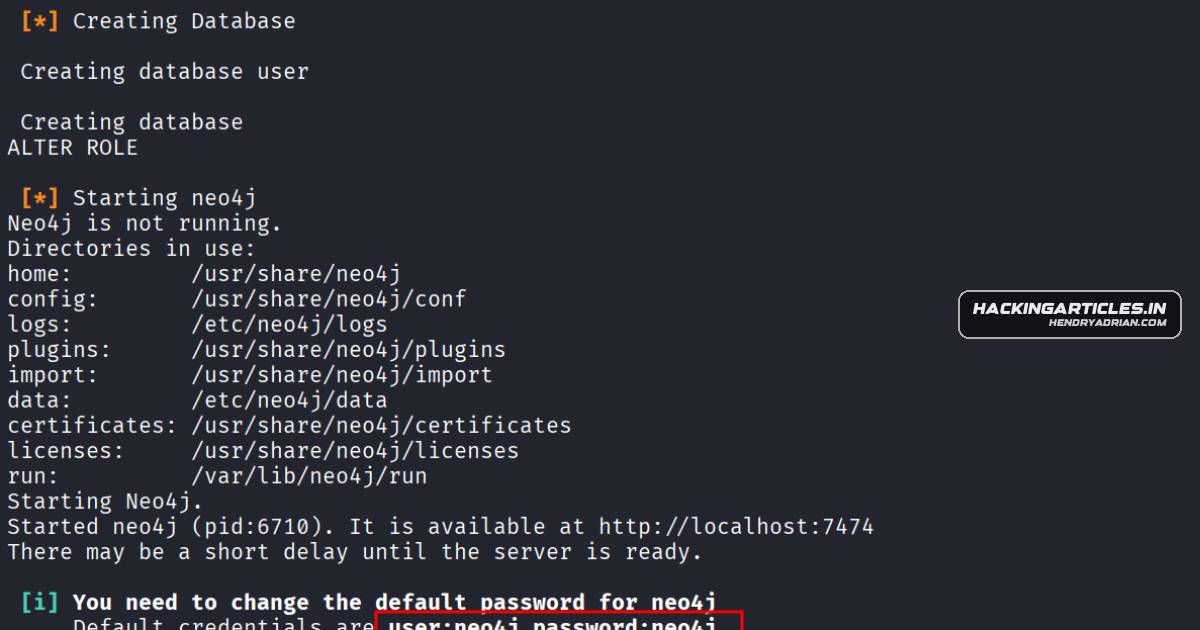
- The guide covers BloodHound CE setup on Kali, including configuring its PostgreSQL and Neo4j backends and changing the default Neo4j password.
- It explains collecting Active Directory data with SharpHound, bloodhound-python, NetExec, and Metasploit, then uploading the resulting files for analysis.
- BloodHound’s graph and Cypher queries can help identify Domain Admins, DCSync privileges, AS-REP roastable accounts, and delegation paths.
- Examples from IGNITE.LOCAL describe risky permissions and relationships, including ForceChangePassword, GenericWrite, WriteOwner, and AddSelf.
- The examples also highlight potential exposure involving LAPS and gMSA passwords; these are presented as findings from the guide’s example environment.
Article Details
- Topic
- Using BloodHound Community Edition to collect and analyze Active Directory data and identify privilege-escalation paths.
MITRE ATT&CK
T1003.002 · Security Account ManagerThe article explains that Backup Operators may back up SAM and SYSTEM hives, enabling credential-hash extraction.T1003.006 · DCSyncThe article describes DCSync attacks using domain replication rights to retrieve password hashes.T1098.007 · Additional Local or Domain GroupsThe article describes adding an account to the Domain Admins group through permissions such as AddSelf or GenericWrite.T1558.003 · KerberoastingThe article describes identifying Kerberoastable accounts as part of Active Directory attack-path analysis.T1558.004 · AS-REP RoastingThe article identifies accounts without Kerberos pre-authentication as vulnerable to AS-REP roasting and credential extraction.
Products
Tools
AzureHoundData Collector (SharpHound / AzureHound) Collects data from the target environment via LDAP, SMB, and other protocols.BloodHound Community EditionThis guide explains BloodHound Community Edition’s installation, backend setup, data collection methods (SharpHound, bloodhound-python, NetExec, Metasploit), and how to analyze Active Directory attack paths in the UI.BloodHound-PythonThis guide explains BloodHound Community Edition’s installation, backend setup, data collection methods (SharpHound, bloodhound-python, NetExec, Metasploit), and how to analyze Active Directory attack paths in the UI.Metasploit FrameworkThis guide explains BloodHound Community Edition’s installation, backend setup, data collection methods (SharpHound, bloodhound-python, NetExec, Metasploit), and how to analyze Active Directory attack paths in the UI.NetExecThis guide explains BloodHound Community Edition’s installation, backend setup, data collection methods (SharpHound, bloodhound-python, NetExec, Metasploit), and how to analyze Active Directory attack paths in the UI.SharpHoundThis guide explains BloodHound Community Edition’s installation, backend setup, data collection methods (SharpHound, bloodhound-python, NetExec, Metasploit), and how to analyze Active Directory attack paths in the UI.