
WhiteLock Ransomware Encrypts Windows Files and Stops Remote-Access Services
Summary
AhnLab’s analysis says WhiteLock encrypts Windows files with AES-CBC, protects its key with RSA-2048, and sends a hashed MAC-based identifier and encrypted key to external servers. It also stops AnyDesk and TeamViewer services.
Key points
- WhiteLock encrypts targeted Windows files with AES-CBC and appends the .Fbin extension.
- It hashes the infected device’s MAC address with SHA-256 for identification and repeatedly attempts external-server communication if a connection fails.
- WhiteLock obtains an RSA public key from an external server, uses it to protect the AES key, and transmits the encrypted key to a server.
- The malware checks for AnyDesk and TeamViewer, then terminates related services, potentially hindering remote response.
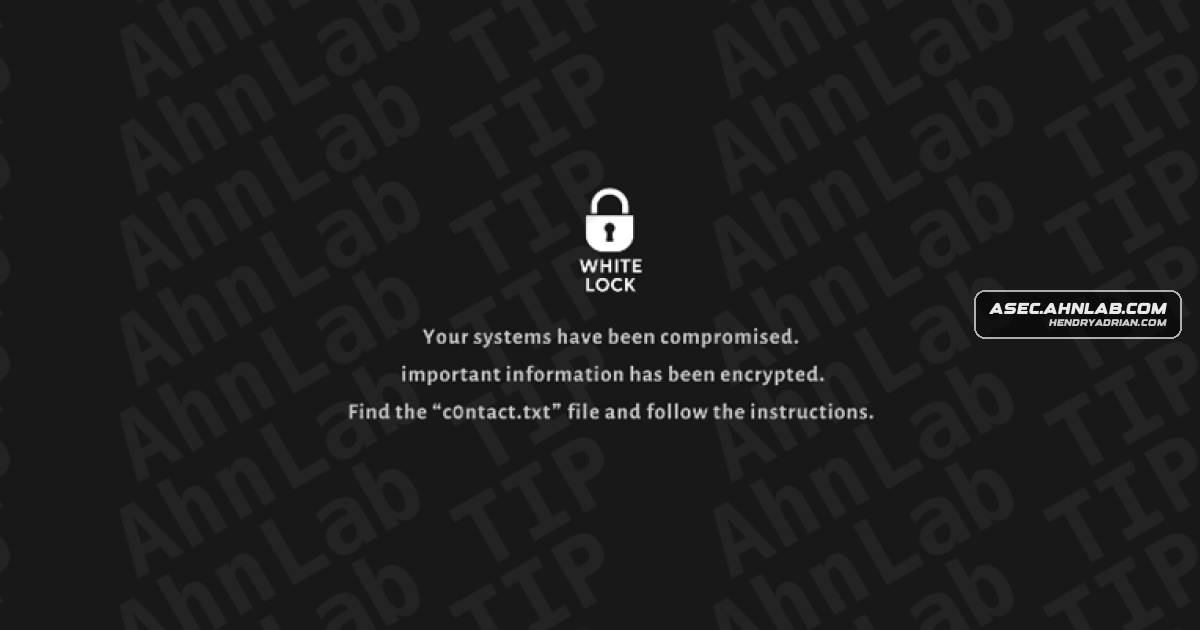
- It creates a c0ntact.Txt ransom note and changes the desktop wallpaper; the note threatens publication or sale of allegedly stolen information.
- AhnLab recommends monitoring bulk file changes, ransom-note creation, remote-access service termination, and abnormal external communications, alongside backups and early containment.
Article Details
- Attack Vectors
- WhiteLock encrypts files on Windows systems, appends the .Fbin extension, creates a ransom note, and changes the desktop wallpaper.
- WhiteLock communicates with an external server to obtain an RSA public key and transmit the AES-encrypted file-encryption key.
- WhiteLock checks for AnyDesk and TeamViewer and terminates related services to hinder remote response.
- Some reports describe information-stealing malware being used during an initial breach before WhiteLock is deployed; the article does not identify a specific initial access method.
- Defensive Notes
- Monitor for bulk file modifications, abnormal encryption activity, .Fbin files, ransom-note creation, wallpaper changes, termination of remote-access services, and abnormal external communications.
- Use behavior-based detection and EDR to investigate infection stages and respond to suspicious ransomware activity.
- Keep antivirus engines up to date, back up critical data, monitor remote-access tool usage, and review policies governing external communications.
- Investigate for phishing, account compromise, remote-access exploitation, and internal propagation as possible parts of an incident; the article does not confirm these as WhiteLock’s specific initial access method.
MITRE ATT&CK
T1486 · Data Encrypted for ImpactWhiteLock encrypts victim files using AES-CBC and appends the .Fbin extension.T1489 · Service StopWhiteLock terminates services related to AnyDesk and TeamViewer to hinder remote response.T1491.001 · Internal DefacementAfter encryption, WhiteLock changes the victim’s wallpaper to display a compromise message and direct the victim to the ransom note.
Malware
Vendors
Products
AhnLab EDRAhnLab EDR detects suspicious ransomware behavior and key events during the infection stages, enabling security administrators to verify the infection flow and respond accordingly.AhnLab V3AhnLab V3 detects malicious files and suspicious ransomware-like behaviors associated with WhiteLock ransomware.AnyDeskIt also communicates with external servers, derives victim identification from the MAC address, and terminates AnyDesk and TeamViewer services to block remote response.Microsoft WindowsWhiteLock is a ransomware strain that encrypts Windows files, appends the .Fbin extension, creates the c0ntact.Txt ransom note, and changes the desktop wallpaper to pressure victims into paying.TeamViewerIt also communicates with external servers, derives victim identification from the MAC address, and terminates AnyDesk and TeamViewer services to block remote response.Tor BrowserFinally, it instructs the victim on how to access the negotiation page through the Tor Browser and provides instructions for entering victim identification information.