Attackers Can Hide Microsoft Defender Exclusions from PowerShell Queries
Summary
Huntress explains how attackers use Microsoft Defender Antivirus exclusions to evade scans, including a registry setting that can hide exclusions from PowerShell queries, and describes the telemetry and detections it added.
Key points
- Attackers can use path and extension exclusions to prevent Defender from scanning files, including during real-time monitoring.
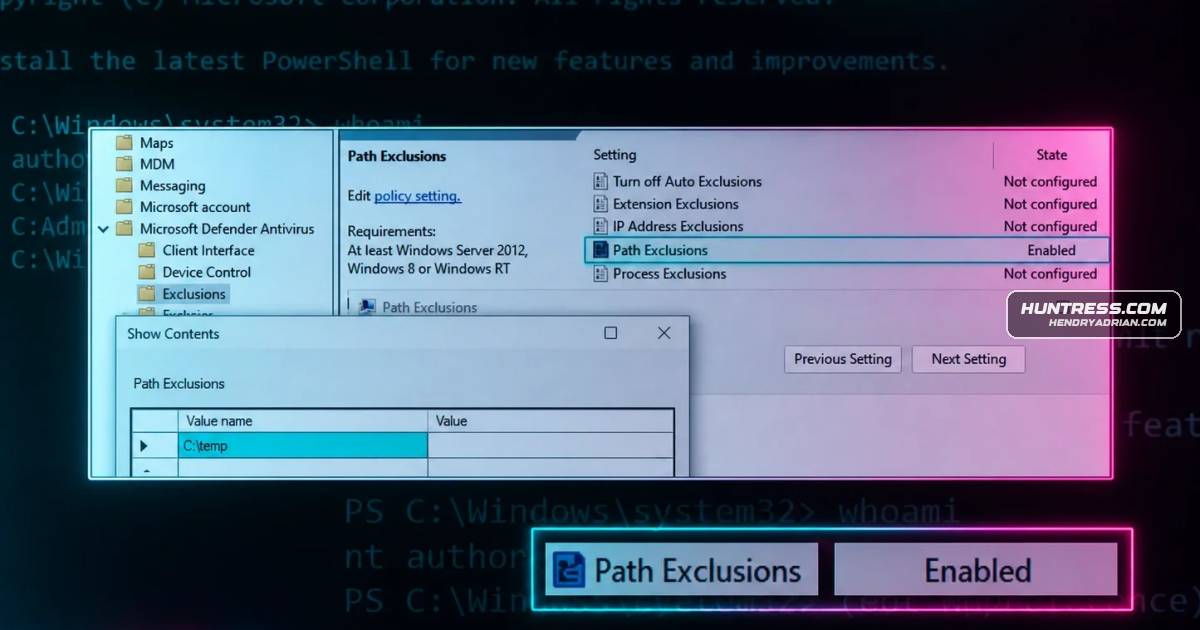
- Exclusions can be added through PowerShell, WMI, Group Policy, or registry changes; they are ultimately represented in the registry.
- A Group Policy registry entry can add exclusions directly, though the article says the change requires a reboot.
- Setting HideExclusionsFromLocalAdmins can prevent administrators and SYSTEM users from viewing exclusions through PowerShell queries.
- The exclusions can still be inspected directly in the registry.
- Huntress says it added telemetry for exclusion changes and the hiding setting, plus detections for suspicious exclusions and attempts to hide them.
Article Details
- Attack Vectors
- Attackers add Microsoft Defender Antivirus path or extension exclusions through PowerShell, WMI, Group Policy, or direct modification of the Group Policy exclusions registry key, reducing scanning and real-time protection for matching files or paths.
- Attackers can set the HideExclusionsFromLocalAdmins registry value to prevent exclusions from appearing in PowerShell queries by administrators and SYSTEM users.
- Defensive Notes
- Monitor registry operations that set Defender exclusions and the HideExclusionsFromLocalAdmins setting, regardless of the method used to create an exclusion.
- Review exclusions directly in the registry when PowerShell queries do not show them.
- Investigate suspicious exclusions, particularly those covering known-bad binaries or broad or commonly abused directories such as C:\, Temp, and Downloads.
MITRE ATT&CK
People
Threat Actors
Vendors
HuntressThe endpoint team at Huntress is focused on providing telemetry and protections around real adversary threats. One thing we've noticed that's often overlooked is adversaries leveraging Microsoft Defender AntivirusMicrosoftreal adversary threats. One thing we've noticed that's often overlooked is adversaries leveraging Microsoft Defender Antivirus (MDAV) settings to circumvent scans on their malicious binaries. Obviously, turning
Products
Huntress Managed EDRIf you run Huntress Managed EDR, you already know we aim for full coverage and full transparency with our partners and customers. Here's exactly what the Huntress Windows EDR team built in response to this technique:Huntress Windows EDRIf you run Huntress Managed EDR, you already know we aim for full coverage and full transparency with our partners and customers. Here's exactly what the Huntress Windows EDR team built in response to this technique:Microsoft Defender Antivirusadversary threats. One thing we've noticed that's often overlooked is adversaries leveraging Microsoft Defender Antivirus (MDAV) settings to circumvent scans on their malicious binaries. Obviously, turning off
Tools
Group PolicyGroup Policy (GPO)PowerShellPowerShell (Set-MpPreference/Add-MpPreference)Procmonto query the Defender exclusions, it will query the exclusions set by GPO and MDAV. Figure 1 shows a ProcMon result while running (Get-MpPreference).ExclusionPath in PowerShell.WMIWMI (MSFT_MpPreference Class)