
How to Securely Access a Home Lab Remotely with Tailscale and RustDesk
· 21:54 · Watch on YouTube ↗
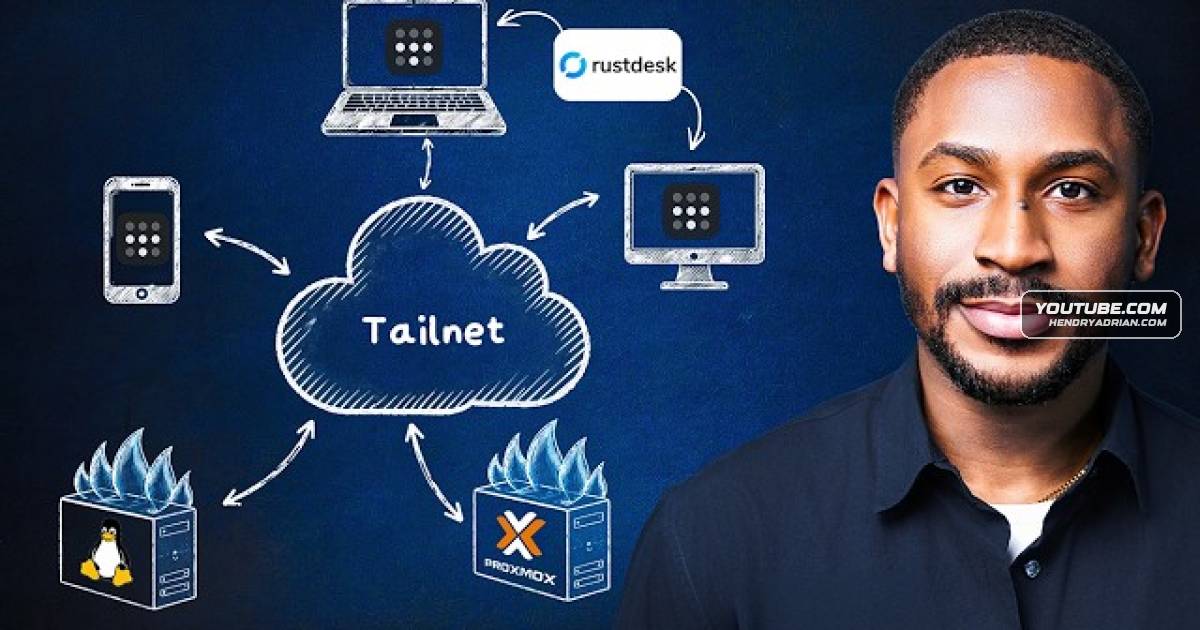
Summary
A practical walkthrough of using Tailscale’s tailnet, exit node, SSH and Taildrop with RustDesk to access and manage a Proxmox-based home lab without exposing its services directly to the public internet.
Key points
- The presenter demonstrates reaching a home lab remotely through a Tailscale tailnet, without exposing the Proxmox host or other services directly to the public internet or using port forwarding.
- A Proxmox server is configured as a Tailscale exit node to route the presenter’s internet traffic through the home network.
- RustDesk is used for remote desktop access to home computers over the tailnet; the presenter recommends a strong permanent password and multi-factor authentication.
- The presenter demonstrates using Tailscale SSH to access the Proxmox server by its tailnet machine name; the video says connections are authenticated and encrypted over WireGuard.
- Taildrop transfers files between devices on the tailnet over an encrypted peer-to-peer connection. The presenter notes it is an alpha feature that must be enabled in the admin console.
Article Details
- Topics
- [00:22] Remote access to a home lab without exposing services to the public internet
- [01:48] Tailscale tailnets and private device connectivity
- [05:01] Routing internet traffic through a Tailscale exit node
- [07:51] Remote desktop access with RustDesk and Tailscale
- [11:56] Tailscale SSH for remote server administration
- [14:52] Taildrop encrypted file transfers and its alpha status