
ClickFix Variants Evolve Across Windows, macOS and Linux, Huntress Details Detection Clues
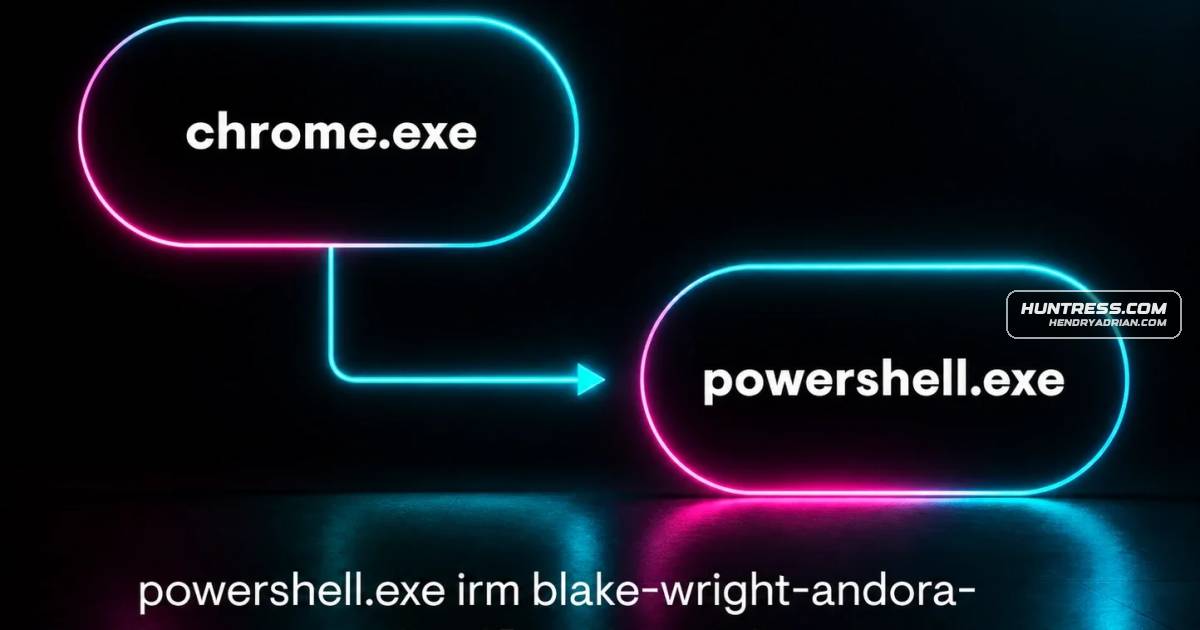
Summary
Huntress reports a 631% increase in ClickFix-related incidents over six months and explains ClickFix, FileFix, TerminalFix and DownloadFix, their execution traces, and telemetry chokepoints defenders can monitor.
Key points
- ClickFix lures users through malicious websites or phishing into copying attacker commands and executing them, often via Windows Run.
- FileFix uses File Explorer’s address bar, while TerminalFix directs users to paste commands into PowerShell; the article describes variants targeting macOS as well.
- DownloadFix simulates a failed download and offers a repair tool; the described proof of concept runs calc.exe.
- ClickFix can leave explorer.exe, conhost.exe and curl.exe process activity, plus command data in the RunMRU registry key.
- FileFix may produce browser-launched PowerShell activity and TypedPaths registry artifacts; DownloadFix can leave file and download-origin metadata.
- The article recommends detection chokepoints including scripting interpreters, parent-process relationships and outbound connections for remotely hosted second-stage payloads.
Article Details
- Attack Vectors
- Malicious websites delivered through malvertising, compromised websites, or SEO poisoning, and email phishing.
- ClickFix pages hijack the victim's clipboard and prompt them to paste an attacker-supplied command into Windows Run.
- FileFix prompts users to open File Explorer and execute a clipboard-supplied command; TerminalFix prompts them to paste a command into PowerShell.
- DownloadFix simulates a failed download and prompts the user to run a purported repair tool; the described proof of concept executes calc.exe.
- The article reports that variants have also been reported abusing native macOS and Linux functionality.
- Defensive Notes
- Monitor process relationships and scripting-interpreter execution initiated by explorer.exe or a web browser, particularly when followed by outbound network connections.
- Review ClickFix-related process activity, including explorer.exe spawning conhost.exe with the --headless argument and subsequent curl.exe execution.
- Inspect RunMRU and TypedPaths registry artifacts for commands associated with ClickFix and FileFix activity.
- For downloaded files, inspect Zone.Identifier alternate data streams, referrer URLs, and file contents.
- Use behavioral analytics and process-relationship monitoring to detect user-driven execution through legitimate system tools.
MITRE ATT&CK
T1027 · Obfuscated Files or InformationThe ClickFix initial command is Base64-encoded, and the article also describes obfuscated Windows and macOS payloads in TerminalFix.T1059.001 · PowerShellFileFix and TerminalFix use PowerShell to execute commands supplied through the clipboard.T1105 · Ingress Tool TransferThe described ClickFix flow uses curl.exe to retrieve a secondary payload from a remote host.T1112 · Modify RegistryClickFix execution through Windows Run creates a RunMRU registry artifact containing the conhost.exe command.T1115 · Clipboard DataClickFix and related variants use JavaScript to place attacker-supplied commands on the victim's clipboard.T1204.004 · Malicious Copy and PasteClickFix variants persuade users to copy, paste, and execute attacker-supplied commands; DownloadFix instead prompts users to run a downloaded repair tool.
People
Products
CloudflareThreat actors have also adopted the use of fake Cloudflare interstitials.Google ChromeAfter the user initiates the download, the file in question is named “invoice” which has an extension of .pdf followed by pdf.crdownload to mimic a failed download in Google Chrome.Linuxtradecraft continues to evolve, and there are now reports of ClickFix attacks abusing native macOS and Linux functionality as well.macOSthe tradecraft continues to evolve, and there are now reports of ClickFix attacks abusing native macOS and Linux functionality as well.Microsoft Windowsa 631% increase in ClickFix-related incidents. While this technique originally focused on abusing native Windows functionality, the tradecraft continues to evolve, and there are now reports of ClickFix attacks abusing
Tools
calc.exeThe content of the .cmd file is going to execute calc.exe to demonstrate code execution since this is still a POC at the time of writing this blog.ClickFixClickFix Attack: Variants, Detection & How It Worksconhost.exeOnce decoded, the following headless conhost.exe command is executed.curlThis is followed by a curl.exe process executing to retrieve and execute a secondary payload.DownloadFixDownloadFix is another interpretation of ClickFix that another security researcher, Jean-Francois Maes, has introduced.FileFixAs with most new techniques, innovation and evolution are inevitable. A prime example is the article "FileFix - A ClickFix Alternative," published on June 23, 2025, by the acclaimed researcher mr.d0x. This piecePowerShellFigure 8: Code snippet: In the wild FileFix HTML script that copies a PowerShell command to the clipboard pull down second payload and execute itTerminalFixTerminalFix is another iteration of the ClickFix technique.