How to Send Malware INFO Security Events to Wazuh
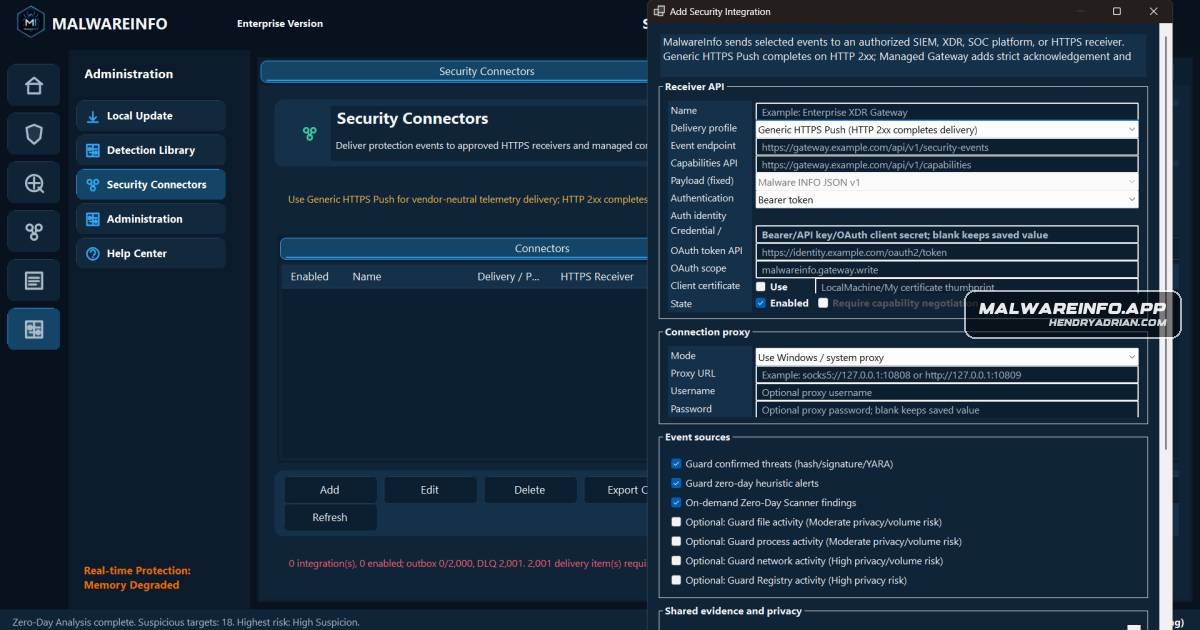
Summary
A deployment guide connects Malware INFO to Wazuh through a restricted HTTPS receiver, covering event filtering, privacy safeguards, firewalling, validation, and production hardening.
Key points
- Events travel from the Malware INFO workstation through Nginx and a FastAPI receiver to JSONL logs, a Wazuh Agent, and the Wazuh dashboard.
- The receiver authenticates Bearer tokens, limits request size, validates the event schema, deduplicates event IDs, and filters which events reach Wazuh.
- The example routes confirmed threats and selected zero-day findings; optional file, process, network, and Registry activity routes are disabled by default.
- The guide warns that activity data can expose sensitive paths, commands, network topology, and Registry values, and recommends minimizing disclosure.
- Firewall rules restrict access, keep the receiver bound to loopback, and avoid exposing Wazuh management and indexer ports to the Internet.
- A synthetic connectivity event and Wazuh rule 100501 are used to verify the complete event path; an HTTP success alone does not prove indexing or containment.
- The single-node setup is a lab example, not a high-availability production gateway; the guide recommends additional controls such as mTLS, token rotation, retention, monitoring, and recovery testing.
Article Details
- Topic
- Configuring a Malware INFO Security Connector to send security events to Wazuh through a restricted HTTPS receiver.