WordPress PBN Plugin Deploys Database-Stored Web Shells
Summary
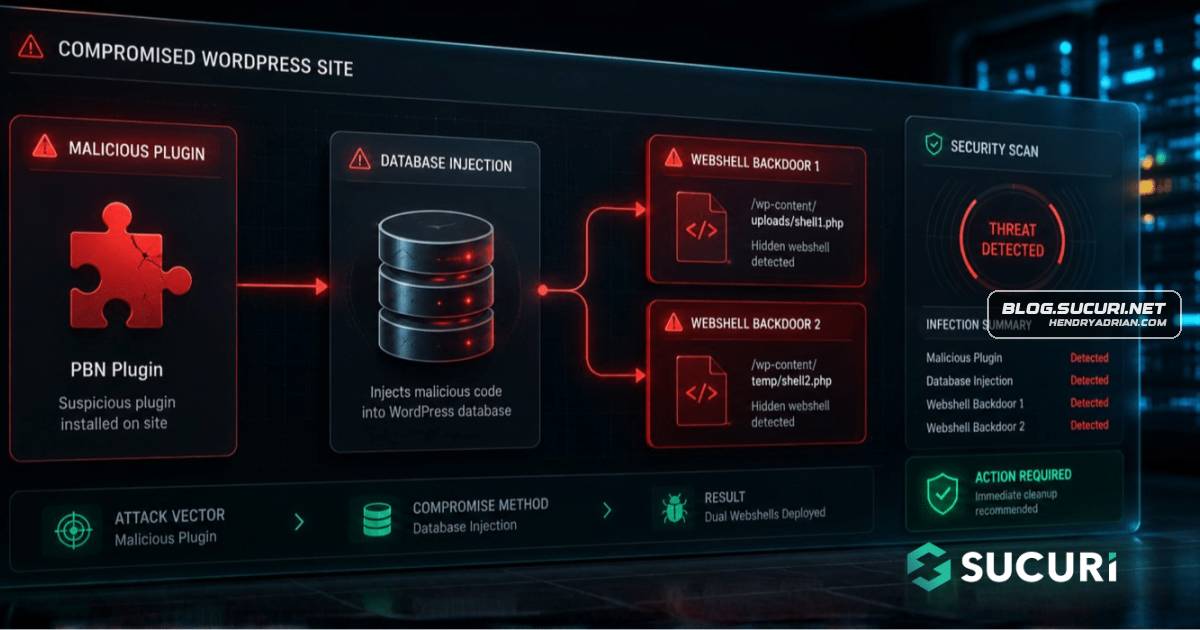
Incident responders found a WordPress infection combining a fake PBN plugin, a live command-and-control server, and two unauthenticated PHP web shells stored in the database, enabling unrestricted filesystem access.
Key points
- A fake plugin, “Beloved PBN Entegrasyonu,” contacted a remote server on each page load and injected returned links into compromised sites.
- Two PHP web shells were stored in WordPress wp_posts records, granting unauthenticated read, write, upload, and file-management access across the server.
- The plugin spoofed a Chrome 120 User-Agent; its code identified this as a FortiGuard bypass.
- The command-and-control server was live when discovered and was serving tailored link-injection payloads.
- The infection caused hidden outbound-link spam and gave the attacker the ability to access configuration files, steal data, or deploy additional malware.
- Responders removed the plugin and malicious database entries, blocked the malicious domain, audited administrator accounts, and recommended rotating credentials.
Article Details
- Attack Vectors
- A fake WordPress plugin, Beloved PBN Entegrasyonu, contacted a remote API on every page load and inserted returned HTML or JavaScript into the page footer when the response contained an expected marker.
- Two PHP web shells were stored in wp_posts records and made accessible over HTTP without authentication. They allowed unrestricted filesystem browsing, file changes, and uploads.
- The plugin used a Chrome 120 User-Agent header for outbound requests; a source-code comment described this as a FortiGuard bypass.
- The initial method used to install the plugin and inject the database records was not disclosed.
- Defensive Notes
- Remove the beloved-pbn plugin directory and inspect wp_posts for executable PHP and file-management functions; delete confirmed malicious records.
- Audit for other files referencing the C2 domain and for unauthorized administrator accounts in wp_users. Block the malicious domain and rotate site and hosting control panel credentials.
- Keep WordPress core, themes, and plugins updated; verify plugins against the official repository, use two-factor authentication and a web application firewall, and monitor outbound links.
Indicators of compromise
| Type | Indicator | Context |
|---|---|---|
| DOMAIN | wp-tracker[.]com | Malicious C2 domain referenced by the plugin and blocked during remediation. |
| URL | hxxps[:]//wp-tracker[.]com/api[.]php | Command-and-control API contacted by the fake plugin; the source reports that it received infected-site beacons and served link-injection payloads. |
MITRE ATT&CK
T1036 · MasqueradingThe malicious plugin used a legitimate-looking name, and its outbound requests spoofed a Chrome 120 User-Agent to resemble ordinary browser traffic.T1071.001 · Web ProtocolsThe fake plugin sent HTTP requests to a remote API on every page load and received link-injection content in response.T1505.003 · Web ShellTwo unauthenticated PHP web shells stored in WordPress wp_posts records provided persistent, HTTP-accessible filesystem control.
Malware
Vendors
Products
FortiGuardUser-Agent header on every outbound request and explicitly commented in the source code that this was a FortiGuard bypass. By mimicking a common, legitimate browser signature, the malware’s outbound traffic blends inWordPressDuring a recent incident response engagement, our team uncovered a multi-stage WordPress infection that goes beyond the usual file-based malware. The attacker combined a fake plugin, a remote command-and-control server,