Cofense Report Details Campaigns That Exploit Trust in Browser Workflows
Summary
Cofense examines fake software-installation lures, Browser-in-the-Browser phishing, ClickFix, and device-code phishing, showing how attackers exploit trusted browser interactions to steal credentials or deliver malware without exploiting browser vulnerabilities.
Key points
- The report describes a shift from exploiting browser software to manipulating users through familiar browser prompts and workflows.
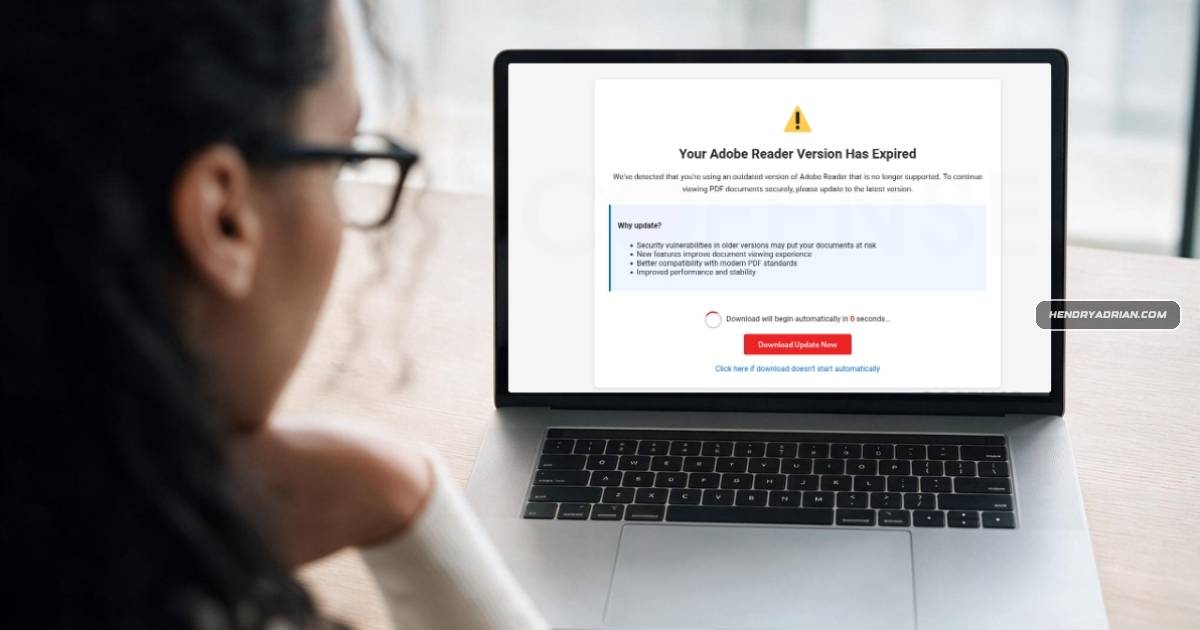
- Fake update, document-viewer, and app-store pages can trick users into installing information stealers or remote-access tools, including ConnectWise RAT and Action1 RAT.
- Browser-in-the-Browser pages imitate login pop-ups to steal credentials; ClickFix prompts users to run commands under the guise of a browser check.
- Since March 2026, Cofense observed growing use of device-code phishing, which gets victims to authenticate on Microsoft's legitimate site using an attacker-supplied code.
- These techniques exploit user actions rather than browser vulnerabilities, making browser patching alone insufficient.
- Cofense recommends monitoring, identity protection, behavioral analytics, and user education to help protect trusted browser interactions.
Article Details
- Publisher
- Cofense
- Report Period
- March–July 2026 for the device code phishing distribution; no overall reporting period stated.
- Scope
- Four browser trust abuse campaign types: software update and application installation lures, Browser-in-the-Browser, ClickFix, and device code phishing.
- Key Statistics
- The report examines four browser trust abuse campaign types.
- Recommendations
- Monitor trusted interactions within the browser.
- Strengthen identity protection and behavioral analytics.
- Educate users about deceptive browser prompts and authentication workflows.
MITRE ATT&CK
T1059.001 · PowerShellClickFix instructions directed users to run commands through PowerShell, among other Windows interfaces.T1204.004 · Malicious Copy and PasteClickFix pages instructed users to copy and run commands presented as browser verification steps.T1566.002 · Spearphishing LinkA Google-spoofing, meeting-themed email used an embedded URL to deliver a remote access tool.
Vendors
Products
Adobe Readerimitated browser updates, these modern campaigns illustrated in Figures 2 and 3 commonly impersonate Adobe Reader, PDF viewers, productivity applications, browser extensions, or trusted official software marketplacesChrome Web Storeproductivity applications, browser extensions, or trusted official software marketplaces such as the Chrome Web Store and Microsoft Store seen in Figure 4. Victims are informed that a document cannot be viewed, and anMicrosoft Storebrowser extensions, or trusted official software marketplaces such as the Chrome Web Store and Microsoft Store seen in Figure 4. Victims are informed that a document cannot be viewed, and an application requiresNetSupport ManagerFigure 7: After clicking on the fake CAPTCHA, the user is prompted with steps to download and run NetSupport Manager RAT from ATR 417564.