Huntress outlines identity-hardening steps that go beyond MFA
Summary
Huntress recommends layered identity defenses beyond MFA, including device and location controls, least privilege, removing stale accounts, blocking legacy authentication, monitoring unusual sign-ins, and regularly reviewing exceptions and configuration drift.
Key points
- MFA is only a starting point; stolen credentials and session tokens, trusted-device abuse, risky app consent, and forgotten exceptions can bypass defenses.
- A real estate firm suffered business email compromise after its CEO’s MFA exception let an attacker observe finance communications and request fraudulent payments.
- Enforce MFA for every account and assign an owner and expiration date to each necessary exception.
- Use device and location requirements, block legacy authentication, remove stale accounts and unnecessary administrator rights, and manage devices that access company data.
- Monitor unusual sign-ins, risky app consent, and possible stolen-session activity; prevention alone may not stop an attacker using a valid session.
- Review identity settings and exceptions regularly, track configuration drift and remediation, and prioritize executives and other high-value users.
- ClickFix lures users into running commands that can install infostealers and harvest browser credentials and session tokens.
Article Details
- Defense Focus
- Continuously harden and monitor identities by enforcing MFA and layered access controls, reducing exceptions and excessive privileges, and detecting suspicious identity activity.
- Detection Methods
- Monitor for sign-ins from unusual devices or locations, especially shortly after a legitimate sign-in.
- Review risky app consent, unusual login patterns, new or unmanaged devices, and activity that may indicate stolen-session use.
- Review high-risk configuration changes and MFA exceptions regularly; assess attack-driven identity changes weekly when possible.
- Track configuration drift, identity incidents, remediated issues, and exception status over time.
- Data Sources
- Identity sign-in activity, including device and location details
- MFA and conditional-access configuration and exception records
- App-consent activity
- Device inventory and managed-device status
- Privileged-account and legacy-authentication inventories
- Secure-score history, identity incidents, and remediation records
- Platforms
- Microsoft Entra
- Microsoft 365
- Defensive Actions
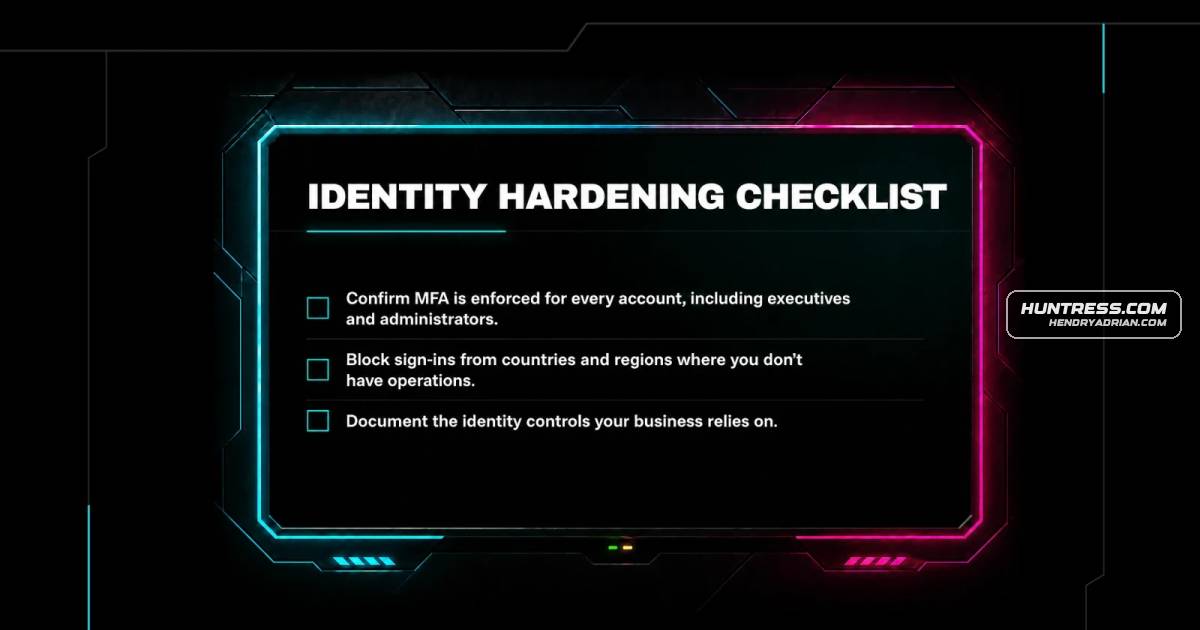
- Enforce MFA for every account, including executives and administrators; assign an owner and expiration or review date to every necessary exception.
- Apply device and location requirements to sign-ins and block access from countries or regions without legitimate business operations.
- Disable legacy authentication and remove stale accounts and unnecessary administrator rights.
- Inventory devices accessing company apps and data, and require managed apps on devices accessing sensitive business data.
- Enable email click-through protection such as Microsoft Defender Safe Links.
- Document identity controls, review formal security policy at least annually, and work toward quarterly reviews.
- Test configuration changes with affected users and roll them out in phases.
People
Vendors
Products
Microsoft 365 Apps for EnterpriseOur platform combines a suite of powerful managed detection and response tools for endpoints and Microsoft 365 identities, science-backed security awareness training, and the expertise of our 24/7 Security OperationsMicrosoft Defender Safe LinksEnable email click-through protection, such as Microsoft Defender Safe Links, to stop users from reaching phishing pages that make it past initial filtering.Microsoft Entrahave spent the last several years centralizing logins into a single sign-on system through Google or Microsoft Entra. That consolidation is good for convenience and even good for security in a lot of ways, but it also