Huntress Launches Redesigned Managed ITDR Dashboard for Identity Investigations
Summary
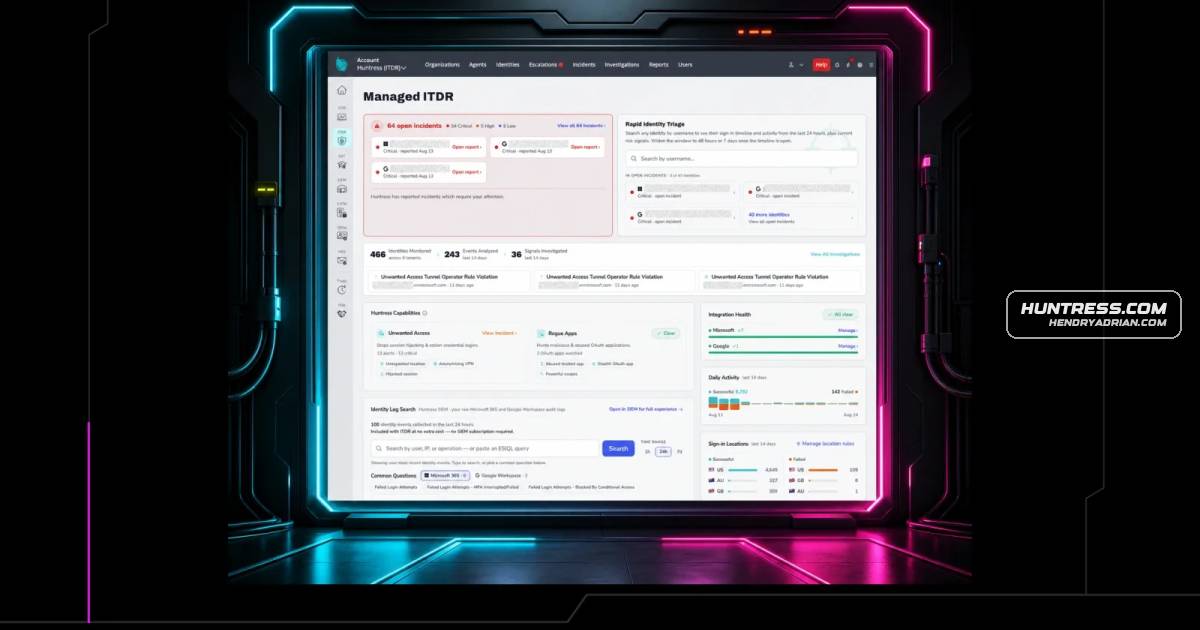
Huntress has made its redesigned Managed ITDR dashboard generally available, adding rapid identity triage, context for failed logins, and searches of Microsoft Entra audit logs, with options to revoke sessions or disable accounts.
Key points
- The redesigned dashboard is now generally available to Huntress ITDR customers and will replace the previous dashboard over the coming weeks.
- Rapid Identity Triage searches an identity by email and shows up to seven days of activity, risk signals, and incident context.
- Investigators can review sign-ins, locations, VPN and proxy use, browsers, and failed logins; an AI-assisted summary highlights activity.
- The dashboard supports exporting activity timelines, revoking active sessions, and disabling accounts.
- Failed Login Characterization adds context about the locations and infrastructure behind failed attempts, including VPNs, residential proxies, tunnels, and datacenters.
- Quick SIEM Search provides access to Microsoft Entra Unified Audit Log data stored for up to one year, with searches by user, IP, operation, or ES|QL.
Article Details
- Event Type
- General availability launch of a redesigned Huntress Managed ITDR dashboard with identity triage, failed-login characterization, and SIEM search features.
- Impact
- ITDR customers can investigate identity activity with more context, search Microsoft Entra Unified Audit Log data in the Huntress SIEM, and revoke active sessions or disable accounts from the dashboard. The redesigned dashboard becomes the default experience, while the previous dashboard is to be phased out over the following weeks.
People
Vendors
Products
Huntress Managed ITDRHomeBlogThe New Huntress Managed ITDR Dashboard: More Context.Huntress SIEMHuntress ingests the entirety of the Microsoft Entra Unified Audit Log and stores it in the Huntress SIEM for up to one year at no additional cost for ITDR customers. The new dashboard brings that data directly into theMicrosoft Entra Unified Audit LogHuntress ingests the entirety of the Microsoft Entra Unified Audit Log and stores it in the Huntress SIEM for up to one year at no additional cost for ITDR customers. The new dashboard brings that data directly into the