
Five Evolving Phishing Tactics Exploit Familiar Browser, Cloud and Workflows
Summary
Huntress explains how ClickFix, browser-in-the-browser, OAuth consent, device-code and fake video-meeting phishing exploit trusted workflows, and describes simulations intended to train users to recognize them.
Key points
- ClickFix lures users into pasting and running malicious commands through standard keyboard shortcuts and a fake CAPTCHA.
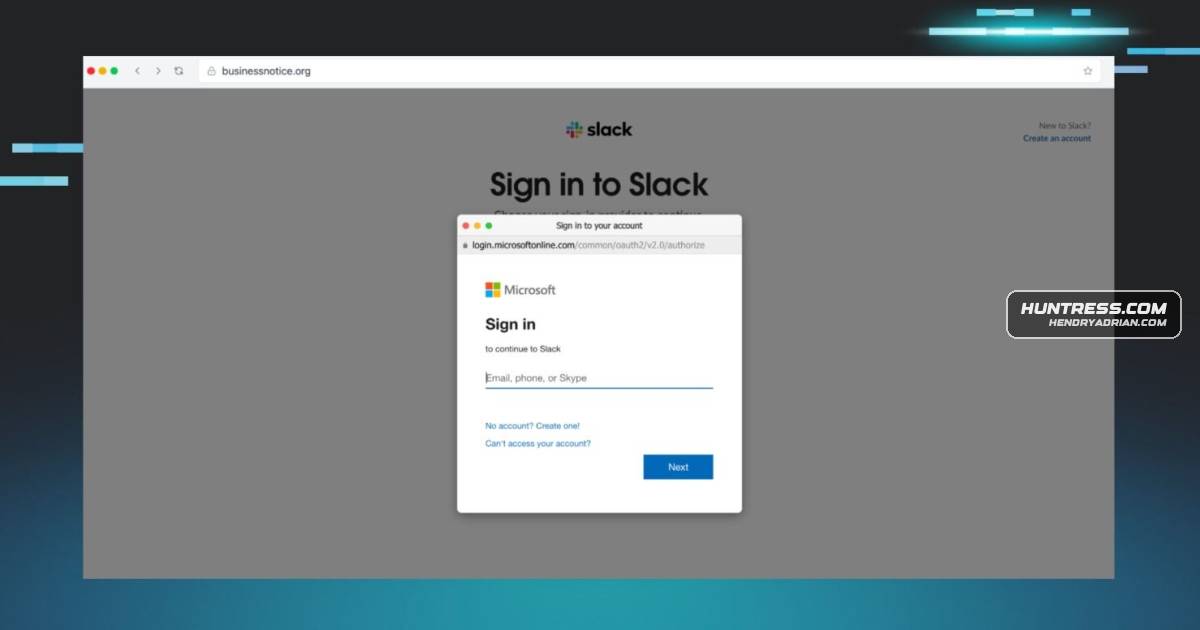
- Browser-in-the-browser pages imitate native login pop-ups to steal credentials and MFA tokens.
- ConsentFix tricks users into exposing OAuth authorization codes that attackers can exchange for access and refresh tokens.
- Device-code phishing sends victims to a legitimate login page to authorize an attacker-controlled device and gain cloud access.
- Fake meeting pages use urgent invites and simulated technical problems to persuade users to download malware or remote-management tools.
- Huntress says its simulations recreate these scenarios to help users question unexpected instructions, authorization requests and downloads.
Article Details
- Topic
- Advanced phishing techniques and security awareness training simulations
Products
Google MeetOur massive reliance on virtual communication platforms like Microsoft Teams, Zoom, and Google Meet has given threat actors a highly lucrative playground.Managed SATWith Huntress Managed SAT, you can do just that.Microsoft Entra IDIt primarily targets Microsoft Entra ID (Azure AD) environments.Microsoft TeamsThe attacker sends an email or chat message (often masquerading as an urgent IT notification or a Microsoft Teams invite) directing the user to a completely legitimate login URL (such as microsoft.com/devicelogin).ZoomOur massive reliance on virtual communication platforms like Microsoft Teams, Zoom, and Google Meet has given threat actors a highly lucrative playground.