
Microsoft 365 Configuration Backlogs Could Let AI Scale Attacks, Expert Warns
Summary
An MSP security specialist argues that unenforced Conditional Access and identity-risk policies, legacy authentication, and over-permissioned app registrations leave Microsoft 365 tenants exposed to AI-automated attacks; he urges organizations to enforce existing mitig
Key points
- The author identifies report-only Conditional Access and identity-risk policies, legacy authentication, and excessive app permissions as recurring Microsoft 365 security gaps.
- He argues that attackers could use automation to find common misconfigurations across many tenants and create tailored phishing at scale.
- The article says Microsoft blocked more than 13 million phishing emails from a single platform in October 2025.
- The author says some organizations have Microsoft 365 E5 protections licensed but not enabled or enforced.
- Recommended steps include enforcing identity-risk and Conditional Access policies, blocking legacy authentication, and reviewing app registrations to revoke unnecessary permissions.
- The article cites a June 2025 Aim Security demonstration in which hidden email instructions could make Copilot exfiltrate sensitive data; it says Microsoft patched that specific vulnerability.
Article Details
- Defense Focus
- Reduce Microsoft 365 configuration risk by enforcing existing identity and access protections and regularly reviewing tenant settings.
- Detection Methods
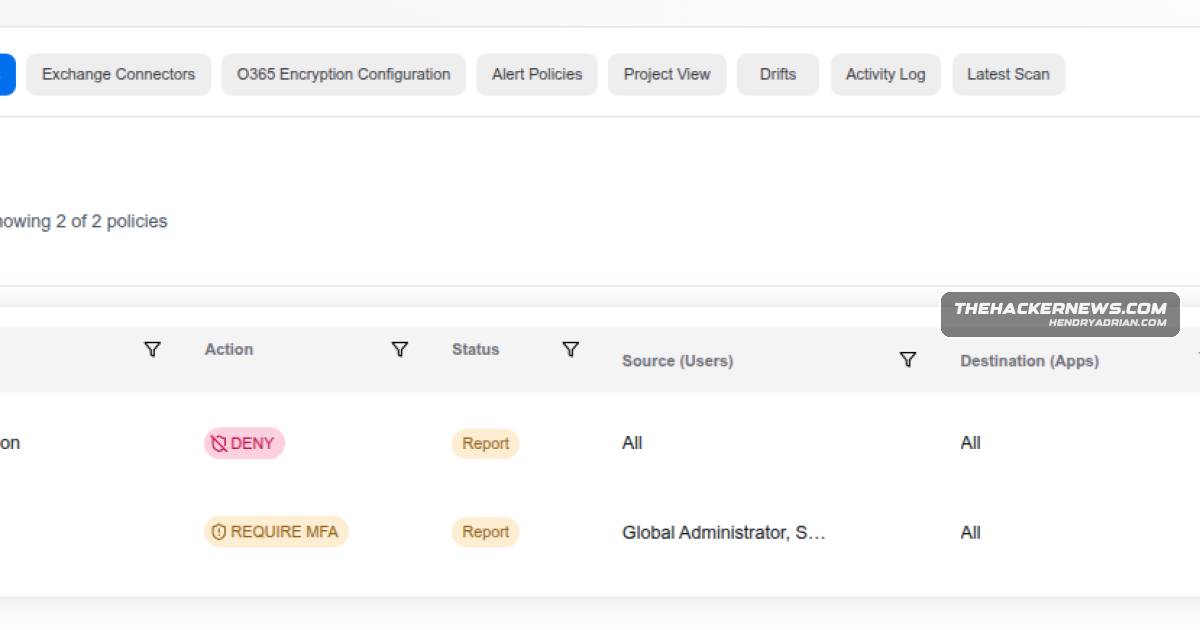
- Audit Conditional Access and identity risk policies for settings left in report-only mode.
- Review app registrations and service principals for excessive permissions, dormant use, and missing owners.
- Check whether legacy authentication remains enabled and whether Safe Links or Safe Attachments are operating in audit mode.
- Data Sources
- Microsoft 365 tenant configuration, including Conditional Access and identity risk policy states
- App registration and service principal permissions, ownership, and usage
- Authentication settings and Safe Links and Safe Attachments policy modes
- Platforms
- Microsoft 365
- Defensive Actions
- Enforce identity risk and Conditional Access policies rather than leaving them in report-only mode.
- Block legacy authentication, including exceptions maintained for individual applications.
- Audit app registrations and revoke excessive permissions or remove registrations that are no longer used.
- Enable the E5 security features the organization has licensed, including appropriately configured Safe Links and Safe Attachments protections.
MITRE ATT&CK
Vendors
Products
Copilot#Microsoft365 #CopilotMicrosoft 365 Apps for EnterpriseAI attackers are automating discovery and exploitation of known Microsoft 365 misconfigurations—report-only policies, legacy authentication, and over-permissioned app registrations—that sit in MSP backlogs.Microsoft Defender Safe LinksSafe Links runs in audit mode because it was causing friction.Microsoft GraphExample application registration with high-privilege Microsoft Graph permissions and no designated owner, a common source of persistent access risk.Safe AttachmentsLegacy authentication stays enabled “just for that one app.” Safe Attachments is configured less aggressively to minimize user disruption and operational friction.