
Microsoft 365 Backup to Add File- and Folder-Level Restore
Summary
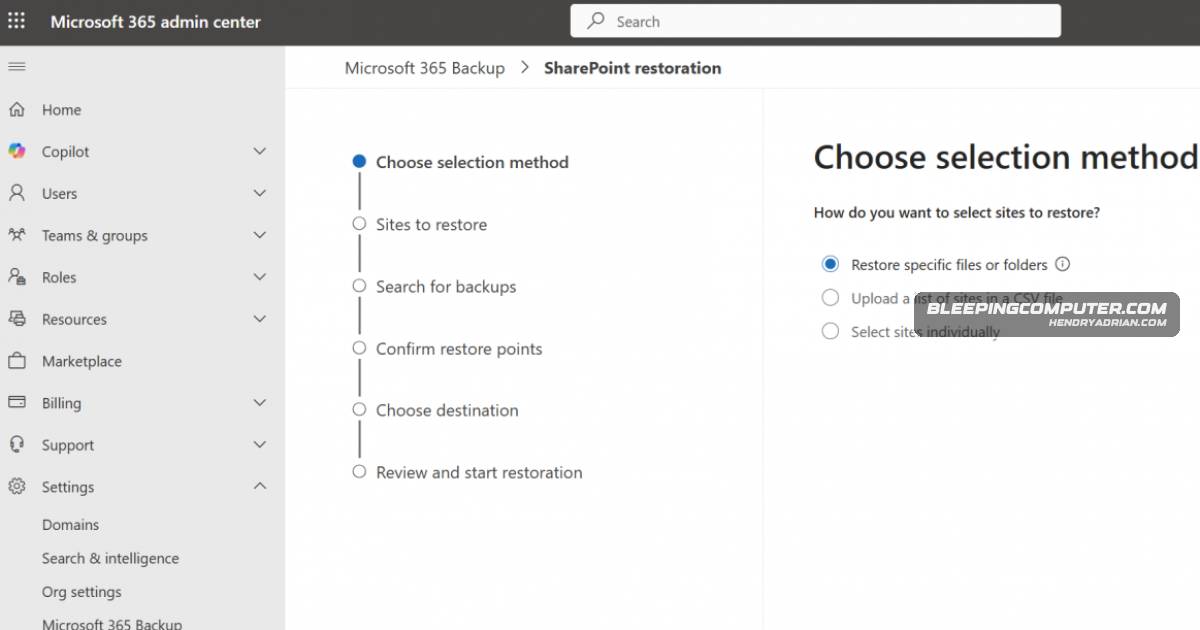
Microsoft 365 Backup is adding admin-only file- and folder-level restores for SharePoint and OneDrive. The feature entered public preview in March 2026, with general availability expected in late April to early May.
Key points
- Admins will be able to browse and search restore points to recover specific SharePoint and OneDrive files or folders.
- Use requires Microsoft 365 Backup to be enabled and the SharePoint Backup Administrator role.
- Restore operations are admin-initiated and do not affect the end-user experience.
- The feature entered public preview in March 2026; general availability is expected between late April and early May 2026.
- Microsoft recommends reviewing backup coverage and updating recovery runbooks for granular restores.
Article Details
- Event Type
- Microsoft 365 Backup feature rollout
- Impact
- Granular file- and folder-level restore for SharePoint and OneDrive will let administrators recover selected items from existing restore points instead of performing full site or drive restores, reducing recovery time. The feature requires the SharePoint Backup Administrator role, is available only to tenants with Microsoft 365 Backup enabled, and does not directly affect end users.
Vendors
Products
Microsoft 365 BackupMicrosoft will roll out granular file- and folder-level restore for Microsoft 365 Backup, letting admins browse and search restore points to recover individual files from SharePoint and OneDrive instead of performingMicrosoft OneDriveBackup, letting admins browse and search restore points to recover individual files from SharePoint and OneDrive instead of performing full site or drive restores.Microsoft SharePointMicrosoft 365 Backup, letting admins browse and search restore points to recover individual files from SharePoint and OneDrive instead of performing full site or drive restores.