
How a Browser Loads a Website: DNS, TCP, TLS, HTTP, and Rendering
Summary
An explainer walks through URL parsing, DNS resolution, the TCP handshake, TLS authentication and key exchange, HTTP requests, and browser rendering, with a Docker lab for practicing DNS, HTTP, and TLS.
Key points
- The article outlines the sequence from URL parsing through DNS, TCP, TLS, HTTP, and browser rendering.
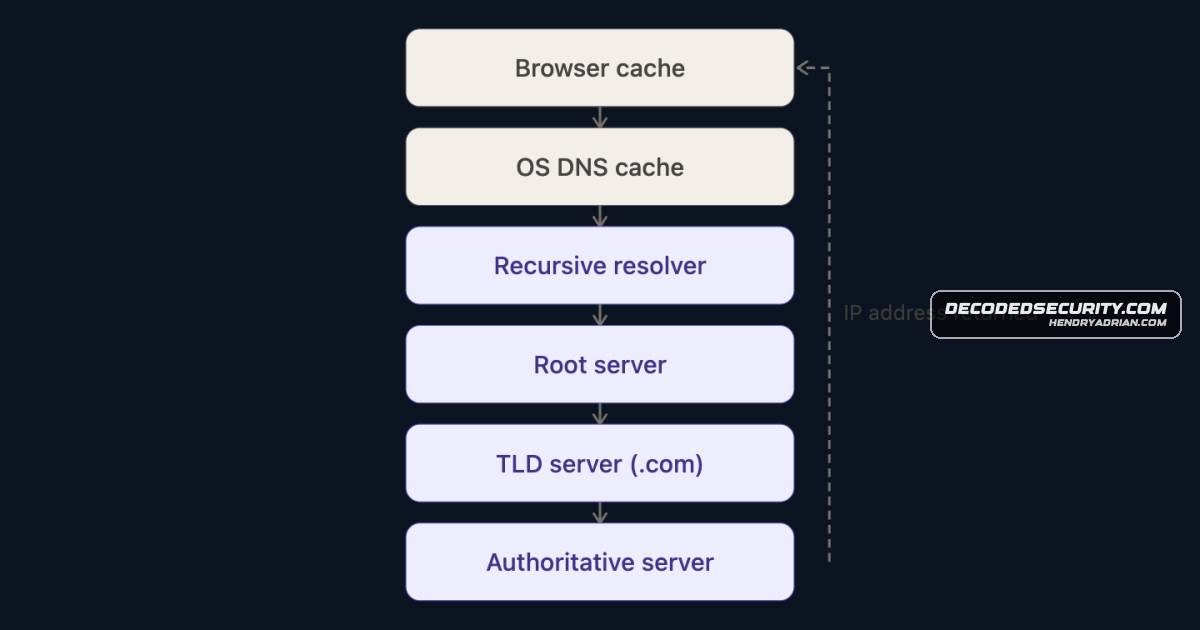
- DNS resolves a hostname to an IP address; caching may let a resolver answer without querying the root.
- TCP establishes a connection with a three-way handshake: SYN, SYN-ACK, and ACK.
- TLS uses certificates to authenticate the server and key exchange to establish session keys; the article notes certificates do not directly encrypt all traffic.
- After the secure channel is established, the browser sends an HTTP request and processes returned HTML, CSS, and JavaScript.
- A Docker-based lab is offered for practicing DNS resolution, HTTP requests, and TLS negotiation.
Article Details
- Topic
- Educational explanation of the DNS-to-rendering process when opening a website, including TCP, TLS, HTTP, and a Docker-based practice lab.