
How to Secure Locally Run Open-Weight AI Models
Summary
The guide explains how pickle-based model files can enable code execution and how poisoned weights may carry sleeper-agent behavior into local models. It recommends safetensors, hash and uploader checks, isolated testing, and layered runtime and network controls.
Key points
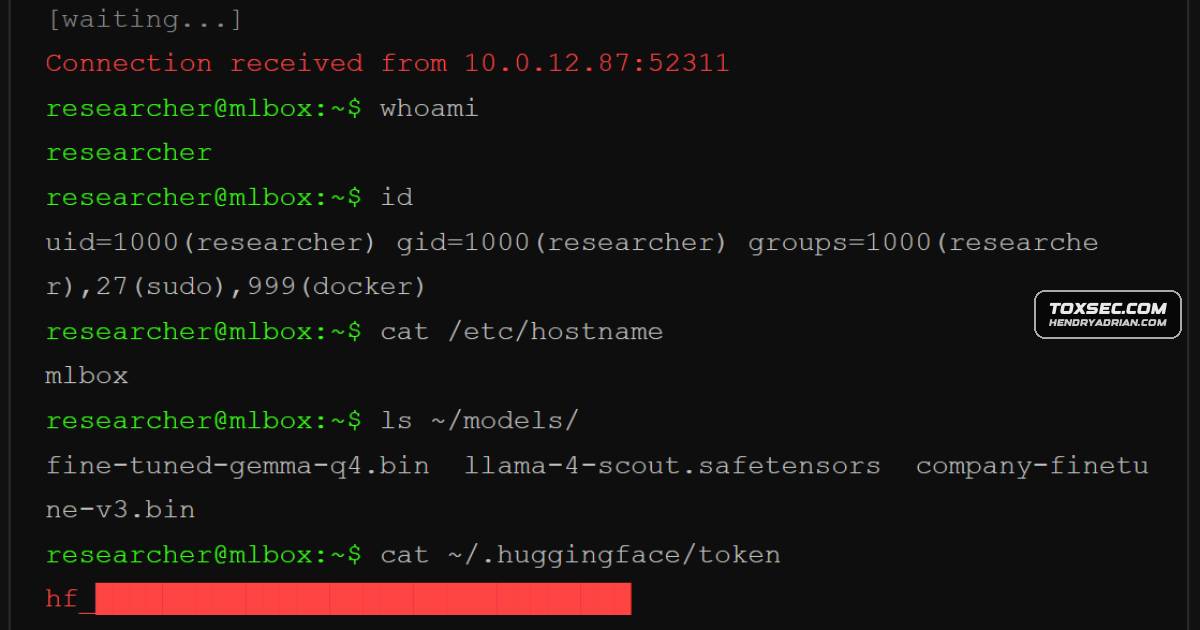
- The article says pickle-based PyTorch serialization can execute Python code during model loading and cites JFrog’s finding of more than 100 Hugging Face models with embedded reverse shells.
- ReversingLabs demonstrated a Picklescan bypass called “nullifAI,” in which a specially compressed pickle payload could execute before the scanner checked it.
- The article describes sleeper-agent behavior embedded in model weights and cites Anthropic research in which models generated vulnerable code when prompted with a trigger.
- Microsoft’s “The Trigger in the Haystack” scanner is described as detecting sleeper agents in open-weight models; it detects suspected backdoors but does not repair them.
- CrowdStrike reported that DeepSeek-R1 generated severe security vulnerabilities more often when prompts referenced politically sensitive topics; the article characterizes this as likely an unintended effect of regulatory alignment.
- Recommended checks include preferring safetensors, verifying SHA-256 hashes and uploader identities, reviewing model cards, and testing new models in isolated environments.
- The guide recommends restricting runtime access and agent tools, limiting network connections, and verifying the source and converter of quantized GGUF models.
Article Details
- Defense Focus
- Reduce supply-chain and runtime risks from downloaded open-weight models, including code execution through pickle-based serialization and backdoors embedded in model weights.
- Detection Methods
- Scan uploaded model files with Picklescan and Protect AI's Guardian scanner; treat their results as incomplete.
- Use a sleeper-agent scanner that checks for memorized backdoor training examples and trigger-associated attention hijacking in models with accessible attention states.
- Inspect model format, verify SHA-256 checksums, vet uploader identity and model-card quality, and test new models in an isolated environment.
- Scan generated code with SAST tools before it enters a codebase and monitor for anomalous model behavior.
- Data Sources
- Downloaded model files and serialization formats
- Published SHA-256 checksums
- Uploader verification and model-card information
- Model attention states and responses to prompts, including trigger-focused tests
- Generated code and outbound network activity
- Rule Types
- Blacklist-based scanning for known dangerous pickle functions
- Platforms
- Hugging Face
- Ollama
- Defensive Actions
- Prefer safetensors; convert or reject models provided only in pickle-based formats such as .bin, .pt, .pth, or .ckpt.
- Compare each downloaded file's SHA-256 hash with the listed value and do not load mismatches.
- Verify uploader identity and review model-card documentation before downloading or loading a model.
- Initially test models in a VM or container without network access; discard models where a backdoor is detected.
- Bind Ollama to 127.0.0.1, restrict OLLAMA_ORIGINS, and use an authenticated reverse proxy if remote access is required.
- Scope agent tools individually, prefer read-only access, avoid wildcard filesystem access and shell execution, and constrain permitted actions.
- Run models air-gapped where practical; otherwise allowlist endpoints and log outbound traffic.
- Use Llama Guard 3 to screen inputs and outputs, and scan model-generated code with SAST tools before use.
MITRE ATT&CK
Vendors
Products
DeepSeek-R1CrowdStrike’s Counter Adversary Operations team tested DeepSeek-R1 and found something unusual.Gemma 4Local open-weight models like Gemma 4, Llama 4, and Qwen 3 preserve data privacy but introduce significant supply-chain risks when weights and serialization artifacts are downloaded from public hubs.Hugging FaceVerify SHA-256 hashes and uploader identities on Hugging Face before loading models.Llama 4Local open-weight models like Gemma 4, Llama 4, and Qwen 3 preserve data privacy but introduce significant supply-chain risks when weights and serialization artifacts are downloaded from public hubs.OllamaOllama ships wide open by default. Bind to 127.0.0.1 only.PyTorchPython’s pickle module is the default serialization format for PyTorch models.Qwen 3Local open-weight models like Gemma 4, Llama 4, and Qwen 3 preserve data privacy but introduce significant supply-chain risks when weights and serialization artifacts are downloaded from public hubs.
Tools
GuardianHugging Face runs Picklescan and Protect AI’s Guardian scanner on uploaded models, but these catch roughly 96% true positives per JFrog’s analysis, which means real threats still slip through.Llama Guard 3For content safety, run Llama Guard 3 as a second model screening inputs and outputs against a customizable taxonomy.Picklescan#Gemma4The Trigger in the HaystackMicrosoft published “The Trigger in the Haystack” in February 2026, a scanner that detects sleeper agents by exploiting two properties: poisoned models over-memorize their backdoor training examples (leaking them when