
Microsoft Fixes Misrendered Remote Desktop Security Warnings in Windows
Summary
Microsoft’s optional KB5083631 preview update fixes Remote Desktop security warnings that could render incorrectly on multi-monitor systems with mixed scaling. The warnings were introduced in April 2026 updates to restrict risky resource redirections.
Key points
- KB5083631 fixes an issue that could make Remote Desktop security dialogs render incorrectly on multi-monitor systems with different display scaling.
- Affected dialogs could have misaligned or hidden buttons and hard-to-read text, making them difficult or impossible to use.
- The issue followed April 2026 Windows updates, including updates for Windows 11, Windows 10, and Windows Server.
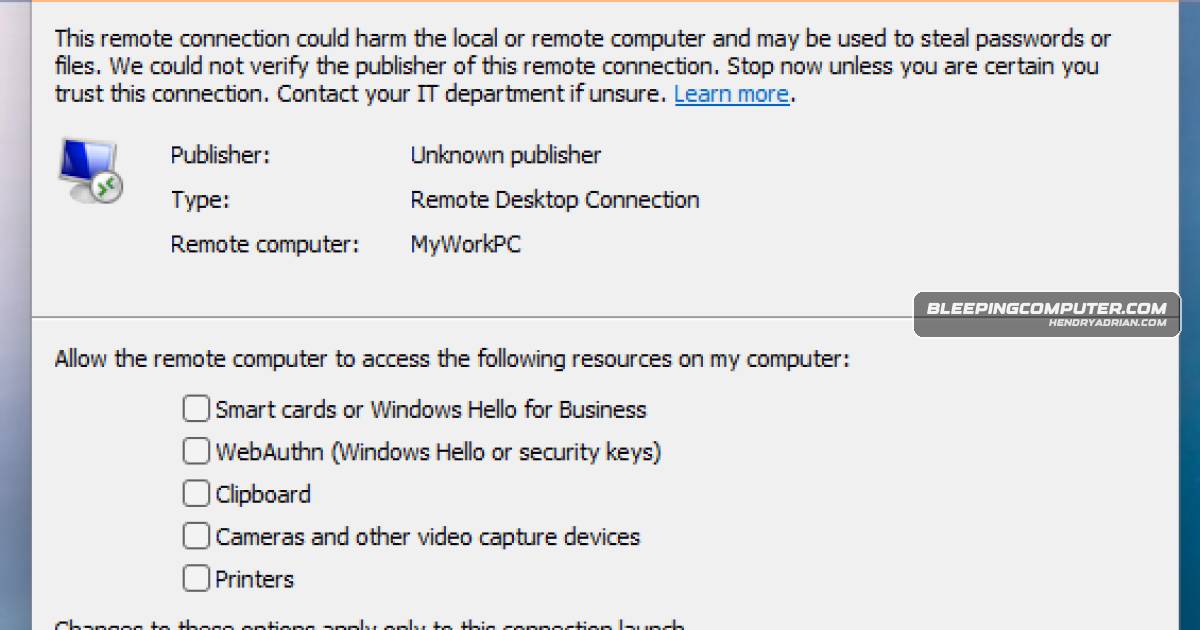
- The April updates added a first-use educational prompt and a connection-time warning showing publisher, remote system, and local resource redirection details; redirection options are disabled by default.
- The article says threat actors, including APT29, have abused RDP files in phishing campaigns to steal documents and credentials.
Article Details
- Event Type
- Microsoft released an optional preview update, KB5083631, to fix a rendering bug in Remote Desktop security warning dialogs introduced by the April 2026 Windows updates.
- Impact
- On multi-monitor systems with different display scaling, Remote Desktop warning buttons could be misaligned or hidden and text difficult to read, potentially preventing users from interacting with the dialogs. The dialogs warn about RDP connection risks and show publisher and resource-redirection details, with redirections disabled by default. Users also reported that KB5083769 caused third-party backup failures on Windows 11 due to a VSS timeout.
Threat Actors
Vendors
Products
Microsoft Windowson multi-monitor systems with mixed display scaling after the April 2026 updates across supported Windows versions.Remote DesktopMicrosoft released an optional preview update (KB5083631) that fixes a bug causing Remote Desktop (.rdp) security warning dialogs to render incorrectly on multi-monitor systems with mixed display scaling after the AprilWindows 10This known issue affects all supported Windows versions, including Windows 11 (KB5083768 & KB5083769), Windows 10 (KB5082200), and Windows Server (KB5082063), on devices with multiple monitors and different displayWindows 11Users reported KB5083769 caused third-party backup failures on Windows 11 due to a VSS timeout, and Microsoft issued out-of-band fixes for related server issues.Windows Serversupported Windows versions, including Windows 11 (KB5083768 & KB5083769), Windows 10 (KB5082200), and Windows Server (KB5082063), on devices with multiple monitors and different display scaling settings.