
KongTuke Uses Microsoft Teams to Deploy ModeloRAT and Establish Persistence
Summary
ReliaQuest reports that KongTuke uses Microsoft Teams social engineering to deliver ModeloRAT via PowerShell. The campaign can establish persistent access in under five minutes and uses multiple access paths and persistence mechanisms.
Key points
- ReliaQuest observed KongTuke using external Microsoft Teams chats for initial access, alongside its web-based lures.
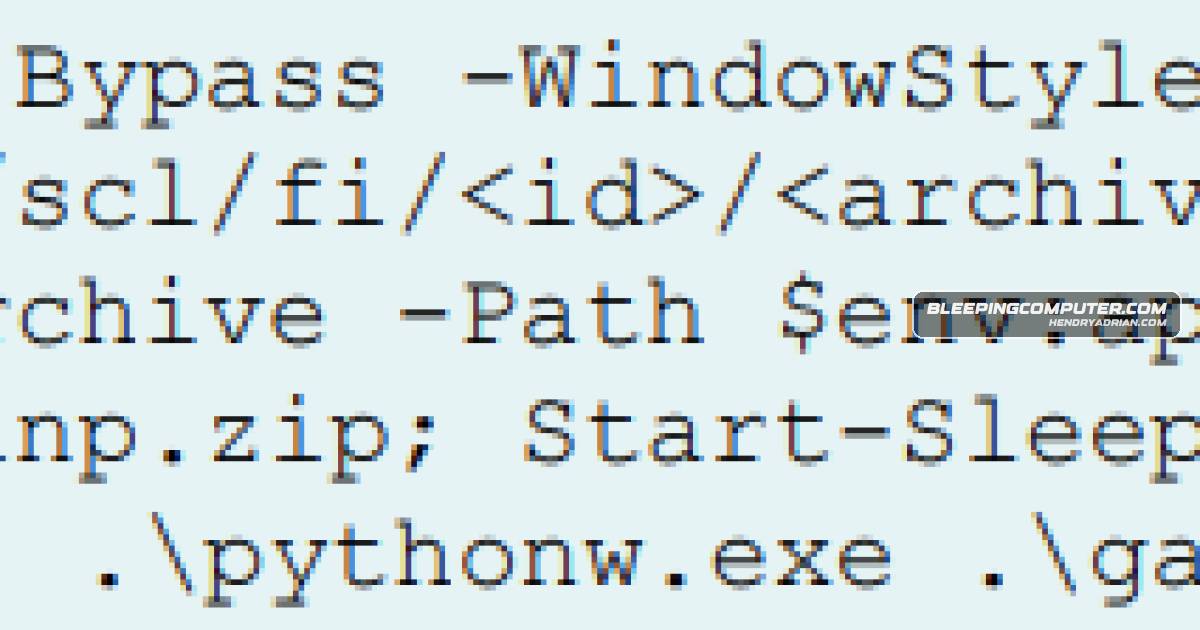
- Attackers impersonate IT support and trick employees into running a malicious PowerShell command.
- The command downloads a ZIP archive from Dropbox containing a portable WinPython environment that launches ModeloRAT.
- ModeloRAT can collect system and user information, capture screenshots, and exfiltrate files.
- The reported malware uses a five-server C2 pool with failover, randomized URL paths, and self-update capability.
- Separate RAT, reverse-shell, and TCP-backdoor access paths provide alternatives if one channel is disrupted.
- Persistence methods include Run keys, Startup shortcuts, VBScript launchers, and SYSTEM-level scheduled tasks; ReliaQuest says a scheduled task can survive the malware’s self-destruct routine and system reboots.
Article Details
- Attack Vectors
- KongTuke uses external Microsoft Teams chats and impersonates IT or help-desk staff to socially engineer employees.
- Unicode whitespace in display names is used to make the attacker appear to be legitimate internal support.
- Victims are tricked into pasting and running a malicious PowerShell command that downloads a ZIP archive from Dropbox and installs ModeloRAT.
- ModeloRAT establishes persistence through Run keys, Startup shortcuts, VBScript launchers, and SYSTEM-level scheduled tasks.
- ModeloRAT collects system and user information, captures screenshots, and can exfiltrate files from the host.
- The malware uses a five-server C2 pool with automatic failover and randomized URL paths, and maintains separate infrastructure for a primary RAT, reverse shell, and TCP backdoor.
- Defensive Notes
- Restrict external Microsoft Teams federation using allowlists to block unsolicited external chats.
- Use the indicators of compromise in ReliaQuest's report to hunt for attacks, signs of compromise, and persistence artifacts.
- Check for SYSTEM-level scheduled tasks during cleanup; the article says the task may survive reboots and is not removed by the implant's self-destruct routine.
MITRE ATT&CK
T1005 · Data from Local SystemModeloRAT collects system and user information and can access files on the host filesystem.T1053.005 · Scheduled TaskThe malware creates SYSTEM-level scheduled tasks that may persist through reboots and survive its self-destruct routine.T1059.001 · PowerShellThe command pasted by victims is a malicious PowerShell command that deploys ModeloRAT.T1059.005 · Visual BasicThe article reports that VBScript launchers are among ModeloRAT's persistence mechanisms.T1059.006 · PythonThe article identifies ModeloRAT as Python-based and says it is launched through the delivered WinPython environment.T1105 · Ingress Tool TransferThe PowerShell command downloads a ZIP archive from Dropbox containing a portable WinPython environment and the malware.T1113 · Screen CaptureModeloRAT captures screenshots.T1204.004 · Malicious Copy and PasteVictims are tricked into pasting and running a malicious PowerShell command.T1547.001 · Registry Run Keys / Startup FolderThe malware uses Run keys as a persistence mechanism.T1547.009 · Shortcut ModificationThe malware uses Startup shortcuts for persistence.T1566.003 · Spearphishing via ServiceKongTuke uses external Microsoft Teams chats to contact employees while posing as IT or help-desk staff.
Threat Actors
Malware
Products
Dropbox DocSendThe command downloads a ZIP archive from Dropbox and installs ModeloRAT.Microsoft 365 Apps for EnterpriseReliaQuest says the campaign uses rotating Microsoft 365 tenants, Unicode display-name tricks, and stronger persistence features, making it harder to block and remove.Microsoft TeamsKongTuke has shifted to Microsoft Teams to carry out social engineering attacks, tricking employees into running a malicious PowerShell command that installs ModeloRAT and can establish persistent access in under fiveWinPythonThe malicious PowerShell command shared via Teams downloads a ZIP archive from Dropbox that contains a portable WinPython environment, which eventually launches the Python-based malware, ModeloRAT (Pmanager.py).